What Is Onelink? Three Different Products Share the Name
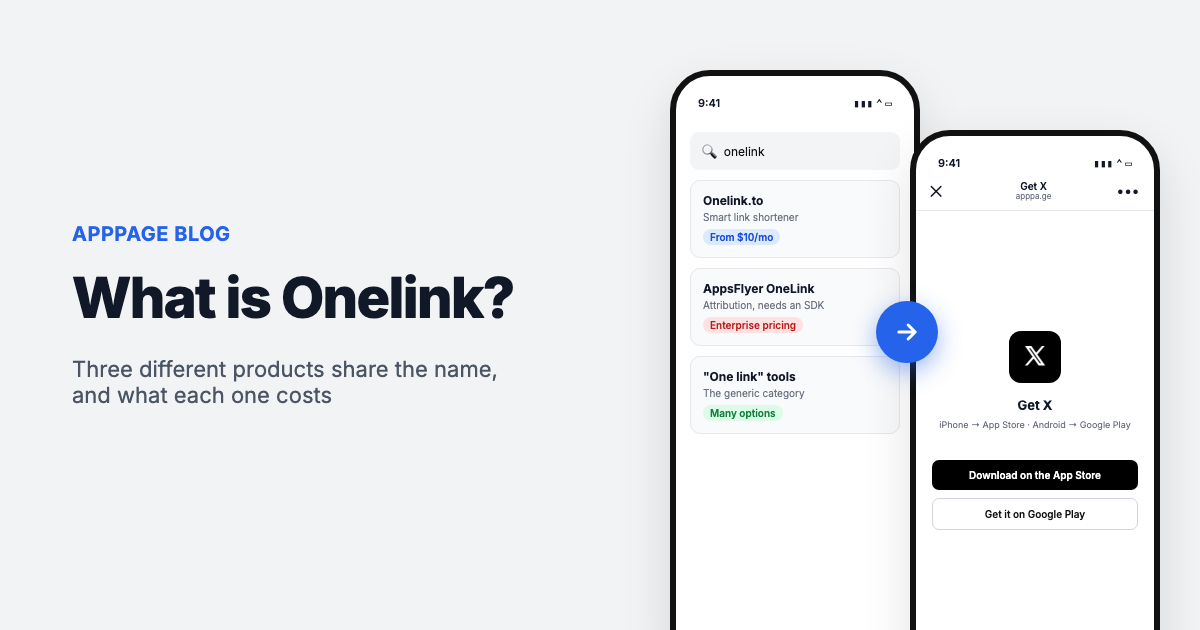
"Onelink" usually means one of two unrelated products. AppsFlyer OneLink is the deep linking part of AppsFlyer's mobile attribution platform. Onelink.to is a Swedish smart link service that sends one link or QR code to the right app store for each visitor's device. People also use the word loosely for any "one link for every store" tool, a category neither company owns.
Which one you want depends on whether you are a solo developer with a broken bio link or a growth team with an attribution budget. They solve overlapping problems at prices that differ by two orders of magnitude.
This post separates them, tells you which one your situation actually calls for, and shows where the cheaper options in the category sit against them.
The three things people mean
| What people say | What it is | Who it is for |
|---|---|---|
| Onelink.to | A service that turns one short URL into a device-aware redirect to the App Store or Google Play | Developers and marketers with a bio link, a QR code or an ad destination to fix |
| AppsFlyer OneLink | The deep linking layer inside AppsFlyer's mobile attribution platform | Growth teams already measuring paid campaigns |
| "a onelink" | The generic idea of one link for every store. Nobody owns the term | Everyone. It is a category, not a brand |
Two unrelated companies also used the name: OneLink Communications, a former cable brand in Puerto Rico, and OneLink Transit Systems in Melbourne. If your search results look scrambled, that is part of why. Neither has anything to do with apps.
1. Onelink.to, the smart link service
The oldest of the three. Onelink.to launched in Stockholm in 2011, is still founder-led, and advertises over 20 billion clicks served, 200 million clicks a month and a million registered users. Links created in 2011 still resolve, which in this category is a genuine achievement rather than a marketing line.
Setup is what you would expect. You paste your App Store URL, your Google Play URL and a fallback for desktop visitors. You get back a short link and a QR code that point at the same place. Anyone who taps it gets routed by device.
Prices checked: October 2026. Their published pricing, with what the same job costs on AppPage next to it. AppPage gives each app one link, so the AppPage column counts apps:
| What you need | Onelink.to | AppPage |
|---|---|---|
| 3 links, no budget | Free. Ad-free for 3 months plus 1,000 clicks a month, then ads. Stats kept 90 days | Free: 1 app, 50 clicks in total, then the link stops redirecting. The landing page stays online |
| Up to 5 links | $10/mo (Professional, 10 links) | $5/mo (Pro, 5 apps) |
| Up to 200 links | $25/mo (Team) | $9/mo (Advanced, unlimited) |
| Up to 500 links | $40/mo (Team Plus) | $9/mo (Advanced, unlimited) |
| Unlimited links | $80/mo (Enterprise) | $9/mo (Advanced) |
Onelink.to also runs a non-profit plan at $30/year for 3 links, and quotes prices excluding VAT. Check their pricing page before committing, since these change.
The shape of that first column is the thing to notice. Onelink.to prices by link count, and the jump to unlimited is steep: $40 a month buys 500 links, and the next step up is double that. If you run two apps you will never leave the $10 tier and the difference is a few dollars. If you generate a link per campaign, per creator or per print run, you hit the ceiling fast and the gap becomes $71 a month.
In fairness, their upper tiers are not only buying links. Custom domains and the stats API both start at Team Plus ($40/mo), and team seats run to 100 people on Enterprise. If those are the things you need, that is what the price is for.
2. AppsFlyer OneLink, the attribution product
Same word, different category. AppsFlyer is a mobile measurement platform, and OneLink is the part of it that handles links. The overlap with onelink.to is real but shallow: both send a visitor to the right store. What AppsFlyer adds is what happens on either side of that redirect.
Deferred deep linking is the feature people are usually reaching for. An ordinary deep link opens a specific screen in an app that is already installed. If the app is not installed, that context is normally lost: the user goes to the store, installs, opens a blank home screen and has to find whatever they came for. Deferred deep linking holds the click parameters through the install, so the app opens on the right screen the first time it launches.
Alongside that, every click is tied to attribution data, so you can answer which ad drove which install. That is the actual product. The link is the delivery mechanism.
The cost is not really money, it is engineering. OneLink needs the AppsFlyer SDK compiled into your app, which means a release cycle and a developer writing callbacks. There are constraints to design around: the Unified Deep Linking flow matches a click to an install within a 15-minute lookback window, and anything longer needs the extended flow instead. None of this is difficult, but none of it is a five-minute job either.
Pricing works differently too. AppsFlyer bills by conversion rather than by link: a free Zero plan aimed at owned media, a pay-as-you-go Growth plan that includes a welcome package of 12,000 conversions in the first year and then charges $0.07 per conversion, and a custom Enterprise tier. Organic installs are not counted. Check their deep linking pricing for which suite features, such as the OneLink API, your plan includes.
3. "A onelink" as a plain noun
Plenty of people using the word are not referring to either company. They mean the category: one link that works for both stores. You will see the same idea sold as a smart link, a universal app link, an app store link generator or a dynamic link, depending on who is writing.
The category exists for a boring reason. Apple and Google run separate stores with separate URLs, and most of the places you promote an app give you exactly one field to put a link in: an Instagram bio, a QR code on a flyer, an email footer, a business card. You cannot print two.
Worth knowing if you are arriving at this now: Google shut down Firebase Dynamic Links in August 2025. That was the free default a lot of teams relied on, and Google did not replace it. A noticeable share of people searching for any of this are doing so because something that used to work stopped.
How a smart link actually works
There is less machinery here than the marketing implies. When someone taps the link, the service reads the user agent string the browser sends, decides which of three buckets the visitor falls into, and issues a redirect:
- iPhone or iPad, send to the App Store listing
- Android, send to the Google Play listing
- Anything else, send to the fallback URL, usually your website
That is the whole mechanism. It is a redirect with a device check in front of it. Understanding that it is just a redirect explains the next section, which is the failure mode none of these tools advertise.
What a redirect cannot fix
Instagram, Facebook and Threads open links in their own embedded browser on iOS rather than handing them to Safari. That browser does not perform the hand-off to the App Store app, so an apps.apple.com navigation is simply dropped and the visitor sees a blank page or a spinner.
A smart link does not change this on its own, because the problem is not the address, it is the browser the tap happens in. Adding redirect hops does not help. Neither does a different link service. What works is detecting the webview on arrival and serving a page that escapes it, which is what AppPage does on every link and what we have written up at length in Instagram App Store Link Not Working. Onelink.to's marketing site does not document how it handles this case.
TikTok is a separate problem with the same symptom. It blocks App Store links on iOS by policy, which shows up as "Action can't be completed", and we cover what still works in TikTok App Store Link Not Working.
The practical takeaway when you are evaluating any tool in this category: test the link by tapping it from an Instagram bio on a real iPhone. Not in Safari, where everything works. Most comparison tables in this space skip that test entirely, and it is the one that decides whether your bio link delivers installs.
So which one do you need
If you have a bio link, a QR code or a couple of apps, you want a smart link service. Setup is minutes, no code, no SDK, and the cost is single digits a month. AppPage, Onelink.to, URLgenius and 1link.io all live here. This is where most people asking the question end up, and it is worth saying plainly that the $80/mo unlimited tier is not the market rate for it.
If you are spending money on user acquisition and need to know which creative produced which install, or you want people landing on a specific screen after installing, you want an attribution platform. AppsFlyer OneLink, Branch and Adjust live here. Budget developer time, not just subscription cost.
If you are doing both, running both is normal and not wasteful. The attribution platform handles paid campaigns; a smart link handles the bio, the flyer and the email footer, where attribution adds nothing.
The mistake worth avoiding is reaching for the attribution platform because the name was familiar, then discovering you have committed to an SDK integration to solve what was a bio link problem.
Where AppPage fits
Straight answer, since you are on our blog: AppPage is in the first category, and Onelink.to is the product we are most often compared against.
Paste your App Store or Google Play URL, and you get one link, which on a paid plan can be a custom slug like apppa.ge/yourapp. That one link goes in the bio, the stories, the ads, the email footer and the print run. Along with the device routing you get a landing page built from your store listing, a QR code, analytics on every tap including which in-app browser it arrived from, the in-app browser escape described above, and the privacy policy, terms and app-ads.txt hosting both stores ask for. No SDK goes into your app. Pro is $5 a month for up to 5 apps and Advanced is $9 a month for unlimited apps, both with unlimited clicks and no tier above that. The Free plan covers one app for 50 clicks in total, enough to tap your own link from Instagram before you pay.
Where Onelink.to is ahead: custom domains, a stats API, team seats, and a free tier you can stay on: three links and 1,000 clicks a month. AppPage has none of those; its Free plan is a test drive rather than somewhere to stay, with one app and 50 clicks in total. If one of those is a hard requirement they are the better fit, and the full comparison lays out both sides tier by tier.
If you take one thing away: whichever tool you pick, tap your own link from an Instagram bio on an iPhone before you spend anything more driving traffic to it. Most people never have, which is exactly why it quietly costs them installs.
Frequently asked questions
Is Onelink.to the same as AppsFlyer OneLink?
No. They are unrelated companies that happen to share a name. Onelink.to is a Swedish smart link service launched in 2011 that redirects visitors to the right app store. AppsFlyer OneLink is the deep linking component of AppsFlyer's mobile attribution platform, requires their SDK in your app, and is priced by conversion rather than by link.
Is Onelink.to free?
There is a free tier with 3 links. Their pricing page states it is ad-free for 3 months plus 1,000 clicks per month, after which ads appear, and daily stats are retained for 90 days. Paid plans start at $10/month for 10 links and reach $80/month for unlimited links.
Does AppPage have a free plan?
Yes, for one app. Its link serves 50 clicks in total, then stops redirecting until you upgrade, while the landing page stays online. Deleting the app and creating another does not reset the count. Paid plans start at $5 a month with unlimited clicks.
Do I need a developer to use AppsFlyer OneLink?
Yes. OneLink depends on the AppsFlyer SDK being integrated into your app, which means an app release and someone writing the deep link callbacks. A smart link service needs no code at all, which is the main practical reason to choose one over the other for simple bio and QR use cases.
What replaced Firebase Dynamic Links?
Nothing from Google. Firebase Dynamic Links shut down in August 2025 and Google did not ship a direct replacement. Teams that relied on it have generally moved either to a smart link service for plain store redirects, or to an attribution platform such as AppsFlyer, Branch or Adjust where deferred deep linking is needed.
Does a onelink work inside Instagram?
It depends on the tool, and most do not handle it. Instagram opens links in its own embedded browser on iOS, which cannot hand off to the App Store app, so a plain redirect dead-ends on a blank page. Test any tool by tapping the link from an Instagram bio on a real iPhone before you rely on it. AppPage handles the case by detecting the in-app browser and serving a page that escapes to the store.
Can one link and one QR code cover both the App Store and Google Play?
Yes, and that is the entire point of the category. The service reads the visitor's device from the user agent and redirects iPhone users to the App Store, Android users to Google Play, and everyone else to a fallback URL you choose. The same applies to the QR code, since scanning it just opens that link.
Keep reading
Best App-ads.txt Generators in 2026, Including Free Hosting for Apps Without a Website
Writing app-ads.txt takes a minute. Hosting it where AdMob looks is the hard part. The best generators, hosts and checkers in 2026, with prices and crawler rules.
Best Firebase Dynamic Links Replacements in 2026, Sorted by What You Used It For
Firebase Dynamic Links did three jobs, so no single tool replaces it. The best replacement for store routing, deep links and deferred deep linking, with prices.