Best App-ads.txt Generators in 2026, Including Free Hosting for Apps Without a Website
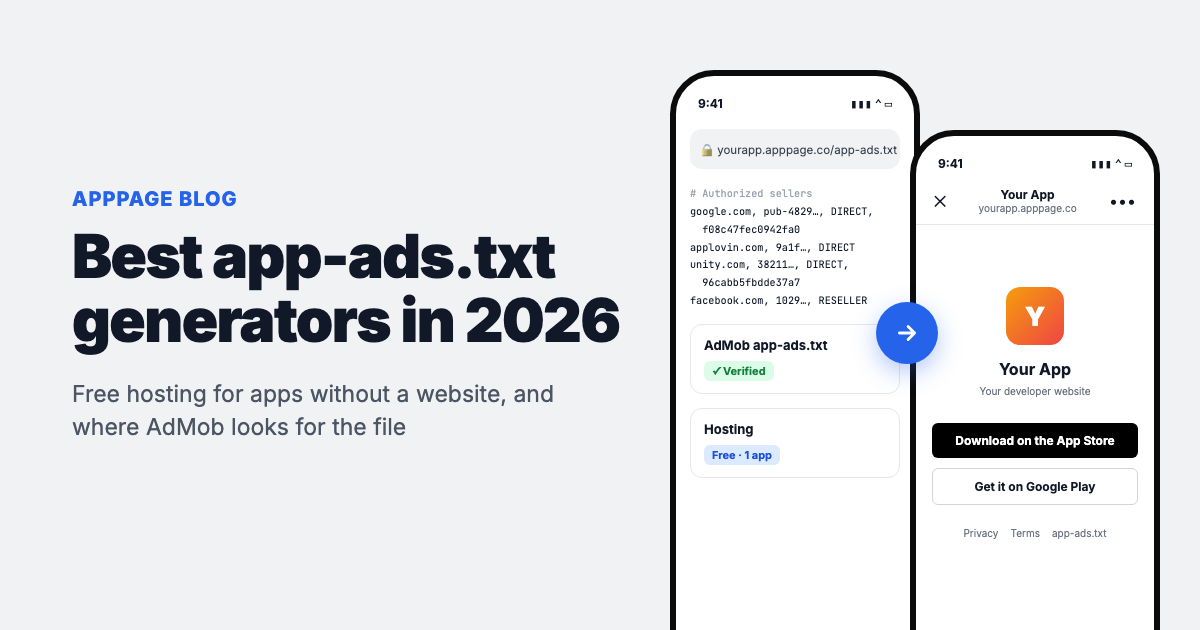
Any tool can write an app-ads.txt file. The hard part is putting it where ad networks look. The file is a few lines of plain text, and AdMob will even write your Google line for you. Revenue gets held up when the file is not on the root of the exact domain listed as your developer website in Google Play and the App Store. That is why the best app-ads.txt generator for most indie developers is one that also hosts the file.
Short answer: if you already have a website, you do not need a generator. Copy the line AdMob gives you and upload the file to your site's root. If you do not have a website, AppPage hosts app-ads.txt free for one app at yourapp.apppage.co/app-ads.txt, with a real landing page on the same domain to use as your developer website. If you run five or more ad networks and want templates for each, App TXT is the stronger generator.
Disclosure: we make AppPage, one of the tools below. Prices come from each vendor's site in October 2026, and the article says where AppPage is the wrong pick.
What an app-ads.txt tool has to do
app-ads.txt is the IAB Tech Lab's standard for mobile apps, modelled on ads.txt for websites. It lists the ad networks allowed to sell your app's ad space. Buyers check it before they bid, and an app whose file AdMob cannot verify risks losing ad revenue. A useful tool covers three jobs:
- Write the lines. Each line has the ad system's domain, your publisher ID, DIRECT or RESELLER, and an optional certification authority ID. For AdMob that is
google.com, pub-0000000000000000, DIRECT, f08c47fec0942fa0with your own publisher ID. - Host it in the right place. At the root of the domain in your store listing, served as plain text over HTTPS.
- Check it. Catch typos in publisher IDs and malformed lines before a crawler does.
Most tools ranking for "app-ads.txt generator" only do the first job. Writing the lines was never the hard part.
The best app-ads.txt generators and hosts compared
| Tool | Writes the file | Hosts it | Checks it | Price (Oct 2026) |
|---|---|---|---|---|
| AppPage | Editor, paste lines from each network | Yes, on yourapp.apppage.co, with a landing page, privacy policy and terms on the same domain | Format guide only | Free for 1 app, then $5/month for 5 apps |
| App TXT (app-ads.app) | Templates for AdMob, AppLovin, Meta, Unity, Mintegral and 25+ more | Yes, with a permanent link | Yes, a checker for errors and missing networks | Free for up to 5 networks, then $2.99/month or $24.99/year |
| App-ads-txt.com (Tappx) | Editor | Yes | Not described | Free |
| Firebase Hosting | No, you write it yourself | Yes, on project.web.app or your own domain | No | Free on the Spark plan |
| GitHub Pages, Netlify, Cloudflare Pages | No | Yes, with a custom domain or their subdomain | No | Free tiers |
| AdMob and Google Ad Manager | Google's own lines only | No | AdMob reports verification status; Ad Manager validates syntax | Free |
| ManageMyBatch ads.txt generator | Yes, with bulk import and de-duplication | No | Yes | Free |
| Ads.txt & App-ads.txt Manager (WordPress plugin) | Yes, from the WordPress dashboard | On your WordPress site | Basic | Free |
Where the file has to live: the rules AdMob follows
This is the part that decides whether any generator works, so it is worth reading before you pick one. Google's AdMob help page "Set up an app-ads.txt file for your app" spells out what the crawler does:
- It starts from your store listing. On Google Play that is the developer website under Store settings, Store listing contact details. On the App Store it is the Marketing URL, not the Support URL. The Marketing URL can only be changed when you submit a new app version.
- It uses the hostname and drops the path. For
https://example.com/gameit checkshttps://example.com/app-ads.txt, then the HTTP version. - It probes one subdomain level. For
help.example.comit checks the subdomain first, then falls back toexample.com. A second level such assupport.help.example.comis not used. - www. and m. are ignored.
www.example.comis crawled asexample.com. A redirect from there to a file on www is allowed. - It is slow. Allow up to 24 hours after publishing the file, and up to 24 hours after changing the developer website.
Two things follow. A host that gives you a path, like somehost.com/yourapp/app-ads.txt, cannot work, because the crawler drops the path and reads the host's own root. A host that gives you a first-level subdomain, like yourapp.apppage.co or project.web.app, does work, as long as that subdomain is the developer website in your listing.
AppPage: best free option if you have no website
AppPage builds a landing page for your app from its App Store or Google Play listing, on its own subdomain such as yourapp.apppage.co. The dashboard has an App-ads.txt tab: paste the lines from AdMob and any other network, press save, and the file is live at yourapp.apppage.co/app-ads.txt as plain text. Edits go out straight away, and the dashboard shows whether the file is configured.
The difference from a bare file host is what sits at the domain you hand to the stores. Google Play and Apple show your developer website on the listing, so a link that opens an empty host or a 404 looks abandoned to anyone who taps it. With AppPage that link opens a proper landing page with your icon, screenshots and store buttons. The same domain also serves a generated privacy policy and terms page, which both stores ask for, so one URL covers the developer website, the privacy policy URL and app-ads.txt.
You also get a smart link that sends iPhone users to the App Store and Android users to Google Play, a QR code and click analytics. That is the rest of what AppPage does, and it is optional here.
Pricing: Free for 1 app with no card. The Free short link stops redirecting after 50 clicks in total, but that cap is on the redirect only: the app-ads.txt file and the landing page are not counted. Pro is $5/month for up to 5 apps and Advanced is $9/month for unlimited apps, both with unlimited clicks and a custom slug.
Not a fit if you want the file on your own domain, or you want network templates and line-by-line validation. AppPage's editor takes the lines you paste and shows the format rules. It does not check publisher IDs against each network, so run the live file through a free checker (below) after saving.
App TXT: best generator for many ad networks
App TXT, at app-ads.app, is built only for app-ads.txt. You pick networks from a list of AdMob, AppLovin, Meta, Unity, Mintegral and more than 25 others, paste each publisher ID, and it fills in the domain and certification ID. It can host the file with a permanent link, and it has a checker that flags errors and missing network lines. If you run mediation across several networks, the templates save real time, because copying lines by hand from six dashboards is where mistakes come from.
Pricing: Free for up to 5 networks. Premium removes the cap for $2.99/month or $24.99/year.
Not a fit if you want a website at the developer URL. Its site does not describe a landing page or privacy policy, so the link on your store listing leads to file hosting rather than a page about your app.
App-ads-txt.com: the long-running free host
Tappx, a mobile ad network, launched App-ads-txt.com so developers without a website could host the file at no cost. It has been running for years, needs no domain or code, and is free with no stated limits. You register, enter your lines and use the address it gives you as your developer website.
Pricing: Free.
Not a fit if you want a checker or a page about your app at the developer URL. Neither is described on the site. A similar service, appadstxtsvc.com, shows a "not available in your region" notice to some visitors.
Firebase Hosting and other static hosts: free if you can use a terminal
Google's own AdMob developer docs suggest Firebase Hosting. You create a project, run firebase init hosting, put app-ads.txt in the public folder and run firebase deploy. The file is then live on your-project.web.app, which you list as your developer website. GitHub Pages, Netlify and Cloudflare Pages work the same way.
Pricing: Free.
Not a fit if you do not want to touch a command line, or you want something to show at that address. Every edit is a redeploy, and visitors to the developer website see a blank page unless you build one.
AdMob and Ad Manager built-in generators
AdMob gives you a ready-made line under Apps, View all apps, app-ads.txt, "How to set up app-ads.txt". Google Ad Manager goes further and generates and validates a file for your network. Both only know about Google's own seller accounts, so every other network's lines are on you, and neither hosts anything.
Use it for the Google line, then paste it into whichever host you chose above. AdMob's app-ads.txt page is also where you check verification status and press "Check for updates" to ask for a faster crawl.
Free app-ads.txt checkers
Whichever host you use, check the live file before you wait a day for AdMob:
- AppBrain's app-ads.txt validator takes your Google Play URL or package name, finds your developer website, fetches the file and checks each line against the IAB spec. Free, no sign-up. It is the closest thing to what a crawler actually does.
- ads.txt Guru accepts a URL, an upload or pasted text, and tells you which address a verifier will read. A paid API costs $10 for 5,000 file checks.
- programmatic.expert cross-checks every seller against the networks' sellers.json files and gives the file a 0 to 100 health score.
How to set up free app-ads.txt hosting with AppPage
- Create your app. Sign up at apppage.co and paste your App Store or Google Play URL. The landing page is built from the listing.
- Collect your lines. In AdMob, open Apps, View all apps, app-ads.txt, "How to set up app-ads.txt" and copy the line. Copy the lines from every other network you use, including mediation partners.
- Paste and save. Open your app in the AppPage dashboard, go to App-ads.txt, paste one entry per line and save. Lines starting with # are comments.
- Set the developer website. Enter
https://yourapp.apppage.coas the developer website in Play Console, and as the Marketing URL in App Store Connect with your next version. - Check, then wait. Open
yourapp.apppage.co/app-ads.txtin a browser, run it through AppBrain's validator, and give AdMob up to 24 hours. "Check for updates" in AdMob can speed it up.
Why AdMob says "app-ads.txt not found"
- No developer website on the listing, or a website on a different domain from the file. The crawler only looks where the listing points.
- The file is in a subfolder.
example.com/ads/app-ads.txtis never read. Move it to the root or redirect the root to it. - The App Store field is wrong. AdMob reads the Marketing URL, not the Support URL.
- The publisher ID is missing or mistyped. It has to match the
pub-ID in your AdMob account exactly. - The page is HTML, not text. Some site builders wrap a "file" in a page template. Open the URL and view the source: you should see only your lines.
- It has not been 24 hours. Checking an hour after publishing tells you nothing.
How to choose in one minute
- You have a website. Upload the file to its root. Use AdMob's line and a free checker. No generator needed.
- You have no website and one app. AppPage, free, and your developer website becomes a real landing page with a privacy policy.
- You run many ad networks. App TXT, for the templates and checker.
- You only need a file online and like the command line. Firebase Hosting or GitHub Pages.
Where AppPage fits
Straight answer, since you are on our blog: AppPage is not the most powerful app-ads.txt generator. App TXT knows more networks and checks your lines, and if you have a website you need neither of us. AppPage is the simplest way for a developer with no website to give the stores a developer URL that works for everyone who reads it: AdMob's crawler finds the file, and a person who taps the link finds a page about your app, with the privacy policy one click away. That takes a few minutes and costs nothing for one app.
Whatever you use, open the live file in a browser and run it through a checker before you start the 24-hour wait.
Frequently asked questions
What is the best free app-ads.txt generator?
If you have no website, pick a tool that also hosts the file, because the text alone is useless until it sits on the domain in your store listing. AppPage hosts it free for one app at yourapp.apppage.co/app-ads.txt, with a landing page on the same domain. App TXT is free for up to 5 ad networks and adds network templates. If you already have a website, use AdMob's own setup text and upload the file to your site's root.
Can I host app-ads.txt without a website?
Yes. You need a domain or first-level subdomain that serves the file at its root and that you can enter as the developer website in Google Play and as the Marketing URL in App Store Connect. Hosted services such as AppPage and App-ads-txt.com give you one, and Firebase Hosting gives you a free project.web.app subdomain if you are comfortable with a command line.
Does app-ads.txt work on a subdomain?
Yes. Google's AdMob help says crawlers probe up to one subdomain level. For a developer website on help.example.com, AdMob checks help.example.com/app-ads.txt first and falls back to example.com/app-ads.txt. The www. and m. prefixes are ignored, and anything after the domain, such as /game, is dropped.
Why does AdMob say app-ads.txt not found?
Usually because the developer website in the store listing is missing or points at a different domain from the one hosting the file, or the file sits in a subfolder rather than at the root. Other causes are a missing or mistyped publisher ID and checking too early. AdMob can take up to 24 hours to crawl, and up to 24 hours more to notice a changed developer website.
Which App Store field does AdMob use for app-ads.txt?
The Marketing URL in App Store Connect. Google's AdMob help says to put your developer website there, not in the Support URL. You can only change the Marketing URL when you submit a new app version, so set it before your next release.
Is AppPage's app-ads.txt hosting really free?
Yes, for one app and with no card. The Free plan's short link stops redirecting after 50 clicks in total, but that cap applies to the redirect only. The app-ads.txt file and the landing page on the same domain are not counted against it. Pro is $5 a month for up to 5 apps, and Advanced is $9 a month for unlimited apps.
Keep reading
Best Firebase Dynamic Links Replacements in 2026, Sorted by What You Used It For
Firebase Dynamic Links did three jobs, so no single tool replaces it. The best replacement for store routing, deep links and deferred deep linking, with prices.
What Is Onelink? Three Different Products Share the Name
Onelink means three things: a Swedish smart link service, an AppsFlyer attribution product, and the generic category. Which one you need, and what each costs.