Best Firebase Dynamic Links Replacements in 2026, Sorted by What You Used It For
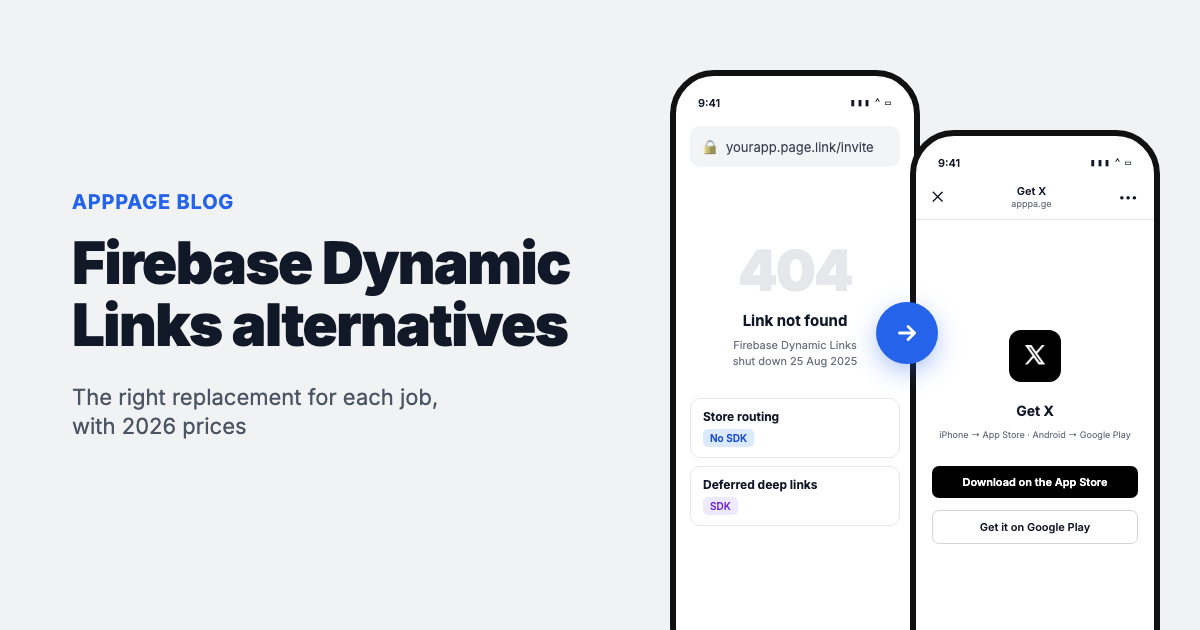
No single tool replaces Firebase Dynamic Links, because it was doing three different jobs. If you used it to send people to the right app store, a no-code smart link replaces it. If you used it to open a screen in an app people already have, Universal Links and App Links do that for free. If the link had to survive an install, you need an SDK-based deep linking platform.
Google shut Firebase Dynamic Links down on 25 August 2025. Every page.link URL now returns a 404, and so does every custom domain link that was served through it. The link data has been purged and the page.link subdomains cannot be moved anywhere. If an old printed QR code, an email template or an app store description still carries one of those links, it is broken today, more than a year on.
This guide sorts the replacements by the job they do, with prices taken from each vendor's own pricing page in October 2026. One disclosure up front: we make AppPage, which is one of the tools below. It covers the first job only, and the article says plainly where it does not fit.
Which replacement fits what you used Dynamic Links for
| What your links did | What replaces it | Examples | SDK in your app? |
|---|---|---|---|
| One link that sends iPhone users to the App Store and Android users to Google Play, for bios, QR codes, emails and ads | Smart link service | AppPage, Onelink.to | No |
| Opened a specific screen in an app the user already has installed | Universal Links (iOS) and App Links (Android) | Built into both platforms | No third-party SDK, but an app update |
| Carried the link through the install, so a new user lands on the shared item, invite or referral reward | Deferred deep linking platform | ChottuLink, Dub, Airbridge, Kochava | Usually yes |
| All of the above, plus measuring which paid campaign drove each install | Mobile measurement partner (MMP) | Branch, AppsFlyer, Adjust, Kochava, Airbridge | Yes |
| Email link sign-in or password reset in Firebase Authentication | An update to the Firebase Auth SDK | Firebase itself | Already installed |
Most teams find their links fall into the first row. Dynamic Links was free, so it got used for everything, including the many links that only ever needed to reach a store listing. Those are the cheapest to replace, and they do not need an SDK or an app release.
All the alternatives compared
| Tool | Type | Deferred deep linking | SDK needed | Lowest published price (Oct 2026) |
|---|---|---|---|---|
| Universal Links + App Links | Native platform feature | No | No | Free |
| AppPage | Smart link | No | No | Free for 1 link and 50 clicks, then $5/month |
| Onelink.to | Smart link | No | No | Free for 3 links, then $10/month |
| ChottuLink | Deep linking | Yes | Yes | Free up to 25,000 MAU, per the vendor |
| Dub | Link management with deep links | Yes, via SDK or API | Optional | $30/month (Pro) for deep links |
| Kochava | MMP | Yes | Yes | Free App Analytics, up to 10,000 conversions a month |
| Airbridge | MMP | Yes | Yes | Core from $40/month |
| Branch | Deep linking and MMP | Yes | Yes | Not published; free trial on Basics |
| AppsFlyer OneLink | MMP | Yes, from the Standard plan | Yes | Zero plan is free; deep linking plans by quote |
| Adjust | MMP | Yes | Yes | By quote |
| Bitly | Link shortener | Not documented | No | $199/month billed annually for mobile deep linking |
Store routing: one link for the App Store and Google Play
This is what most Dynamic Links were actually doing. Someone taps a link in an Instagram bio, a newsletter or a QR code on a poster, and they need to reach the right store for their phone. No app code is involved, so the replacement takes minutes and you can do it without a developer.
AppPage
Paste your App Store or Google Play URL and you get one link, such as apppage.co/yourapp. It sends iPhone users to the App Store, Android users to Google Play, and desktop visitors to a landing page built from your store listing. Each link comes with a QR code and click analytics by platform, country and in-app browser.
The part Dynamic Links never handled well is in-app browsers. On iPhone, Instagram, Facebook, Messenger and Threads open links in their own embedded browser, and that browser cannot hand off to the App Store, so a plain redirect ends on a blank page. AppPage detects those browsers and serves a page that escapes to the store. Our Instagram test write-up shows what happens with and without that step. AppPage also hosts the privacy policy, terms and app-ads.txt pages both stores ask for.
Pricing: Free for 1 link, which serves 50 clicks in total. After that it is $5/month for 5 links or $9/month for unlimited links, both with unlimited clicks.
Not a fit if you need deferred deep linking, a link that opens a specific screen, or links on your own domain. AppPage has no SDK and no custom domains.
Onelink.to
The longest-running service in this category, launched in 2011. It does the same device routing with QR codes and click stats, and adds custom domains, team seats and a stats API on higher tiers.
Pricing: Free for 3 links, then $10/month for 10 links, rising to $80/month for unlimited links. Our AppPage vs Onelink.to comparison goes through it tier by tier.
Not a fit if you need deferred deep linking. Like AppPage, it routes to the store and stops there.
Opening an installed app: Universal Links and App Links
This is Google's own recommendation for teams that only need links to open the app when it is already installed. Universal Links on iOS and App Links on Android let a normal HTTPS link on your domain open straight into the app, with no third-party service in the middle.
You host two small files on your domain, apple-app-site-association for iOS and assetlinks.json for Android, declare the domain in your app, and handle the incoming URL in your code. Firebase Hosting can serve those files if you already use it.
Pricing: Free.
Not a fit if the user might not have the app. When the app is missing, the link opens your website instead, and nothing is remembered through the install. You also lose click analytics unless you build them, and Universal Links are unreliable inside some in-app browsers. Many teams pair native links with a smart link or a deep linking platform for exactly that reason.
Deferred deep linking: links that survive the install
Deferred deep linking is the part of Dynamic Links that is genuinely hard to replace. A new user taps a shared link, installs the app, opens it, and lands on the item that was shared rather than the home screen. That needs an SDK, or at least code in your app, on top of a service that remembers the click.
ChottuLink
A deep linking service built for teams leaving Firebase, without attribution or MMP features bundled in. It publishes SDKs for iOS, Android, Flutter, React Native, Unity and Capacitor, which makes it one of the closer matches to how the Firebase SDK worked.
Pricing: ChottuLink states a free tier up to 25,000 monthly active users, then $39/month up to 150,000 and $99/month up to 500,000. Custom domains are on paid plans.
Not a fit if you also need paid campaign attribution across ad networks.
Dub
An open source link management platform with device targeting, custom domains and QR codes. Deep links need the Pro plan. Dub hosts your apple-app-site-association and assetlinks.json files on your custom domain, and handles deferred deep linking either through its SDK (iOS and React Native) or by your app calling its tracking API on first open, which is the route Android apps take.
Pricing: Free for 25 new links a month without deep links. Pro is $30/month with 1,000 new links and 50,000 tracked events a month.
Not a fit if you want a drop-in native Android SDK.
Kochava
An established MMP with a free tier that is unusually generous. Kochava's Free App Analytics plan includes SmartLinks with deep linking, deferred deep linking and QR codes, alongside attribution, up to 10,000 attributed conversions a month.
Pricing: Free up to the usage caps, after which Kochava contacts you about paid plans.
Not a fit if you want a lightweight tool. It is a full measurement platform, with the SDK and setup that implies.
Airbridge
An MMP with self-serve pricing. The Core plan includes deferred deep links, short links, QR codes and web-to-app banners along with attribution for Google, Meta, Apple Ads and TikTok.
Pricing: Core starts at $40/month for 500,000 data points, then $0.0001 per extra data point, with a 30-day trial. Growth is quoted by MAU or installs. Check how many events your app sends before trusting the $40 figure, because data points count events, not users.
Not a fit if you buy ads beyond those four networks and do not want the Growth plan.
Full attribution platforms
If you are spending on user acquisition, you probably want to know which ad drove which install, and these platforms bundle deep linking with that measurement. They all need an SDK and a developer to integrate it. Choose one for attribution and you get deep linking with it, but none of them is a cheap way to get deep linking alone.
Branch
The most feature-complete deep linking platform, covering web-to-app, email, QR, journeys and attribution. Branch no longer publishes prices: its pricing page lists a Basics plan with a free trial, and Essentials and Enterprise plans by demo.
AppsFlyer OneLink
OneLink is the deep linking layer of AppsFlyer's attribution platform. The free Zero plan covers short links, QR codes and routing. Deferred deep linking and links to a specific screen start at the Standard plan, priced by quote, and attribution is billed separately at $0.07 per conversion after 12,000 free ones. If you only use OneLink for store routing, see our AppsFlyer OneLink alternative page.
Adjust
An attribution and measurement platform with deep linking in its SDK, often chosen by teams with strict EU data requirements. Pricing is by quote.
Bitly
Google lists Bitly among its suggested providers, but mobile deep linking only appears on the Premium plan at $199/month billed annually. It makes sense if your company already pays for Bitly. As a standalone Dynamic Links replacement it is expensive for what you get.
How to migrate off Firebase Dynamic Links
Because the link data is gone, migration now starts with finding where the dead links still live.
- Search your code and templates for
page.linkand your old Dynamic Links domain. Check push notification payloads, transactional emails, share sheets and server code that built links through the API. - List the places you cannot edit in a code release: printed QR codes, packaging, store descriptions, social bios, partner websites and old newsletters. These are where most broken links sit.
- Sort each link by job using the first table above. Store links go to a smart link, installed-app links go to Universal Links and App Links, and links that must survive install go to a deep linking platform.
- Reuse your custom domain if you had one. If your Dynamic Links ran on
links.yourapp.comrather thanpage.link, point that domain at the new provider and recreate the paths, and the old links work again. If you used Firebase Hosting rewrites, updatefirebase.jsonand redeploy. - Remove the Dynamic Links SDK and make sure your app handles its failed responses. Google says the SDK will not crash, but code waiting on a link that never resolves can leave users on a blank screen.
- Update Firebase Authentication to the latest SDK if you used email link sign-in, password reset or email verification. Those flows still work, but only on current versions.
- Test on real phones, including from inside Instagram and TikTok on an iPhone, before you reprint or relaunch anything.
For printed material, generate the new QR code from the replacement link rather than a raw store URL. A raw App Store link sends every Android scan to a page they cannot use. Our free App Store QR code generator makes one with your app icon in the middle.
How to choose in one minute
- Your links only went to the store listing. Use a smart link: AppPage at $9/month for unlimited links, or Onelink.to if 3 free links cover you or you need a custom domain.
- Your links opened screens for existing users only. Use Universal Links and App Links. Free, and Google's recommendation.
- New users must land on shared content after installing. Use ChottuLink or Dub if you only need deep linking, or Kochava's free tier if you also want basic attribution.
- You run paid campaigns and need attribution. Choose your MMP first (Branch, AppsFlyer, Adjust, Airbridge or Kochava) and use the deep linking that comes with it.
Running two tools is normal. A common setup is an MMP for paid campaign links and a smart link for the bio, the email footer and the printed QR code, where attribution adds nothing and an SDK-based link is overkill.
Where AppPage fits
Straight answer, since you are on our blog: AppPage replaces the store routing part of Firebase Dynamic Links and nothing more. If that is what most of your links did, it is the fastest swap here. There is no SDK, no app release and no developer time. You paste a store URL and get a working link, QR code and landing page in about a minute, and the link also works from Instagram on an iPhone, where most of the alternatives above end on a blank page.
If you need deferred deep linking or custom domains, pick one of the other tools above. You can still use AppPage for the bio and QR links next to it. Whatever you choose, tap the new link from an Instagram bio on a real iPhone before you put it on anything printed.
Frequently asked questions
Do Firebase Dynamic Links still work?
No. Google shut Firebase Dynamic Links down on 25 August 2025. Every link on a page.link subdomain or a custom domain served through it now returns a 404, the link creation and stats APIs return errors, and the link data has been purged. Nothing can be done to revive a page.link URL.
What did Google recommend instead of Firebase Dynamic Links?
Google did not build a successor. Its deprecation FAQ points teams that need the full feature set to third-party providers, naming Adjust, Airbridge, AppsFlyer, Bitly, Branch, Kochava and Singular, and notes it has not vetted them. Teams that only need to open an installed app are pointed to Android App Links and iOS Universal Links.
What is the best free Firebase Dynamic Links alternative?
It depends on the job. Universal Links and App Links are free and open an installed app, but do not survive an install. For deferred deep linking at no cost, Kochava's Free App Analytics plan and ChottuLink's free tier are the usual picks, both with an SDK. For plain store routing, Onelink.to has a free tier of 3 links.
Do I need deferred deep linking?
Only if a new user must land on specific content after installing, such as a referral reward, a shared product or an invite. If your links went to the store listing, or only opened the app's home screen, you do not need it, and a no-SDK smart link or native Universal Links and App Links will cover you.
Can I redirect my old page.link URLs to a new provider?
No. Google owns the page.link domain and does not allow it to be kept or transferred, so those URLs stay dead. If your Dynamic Links ran on your own custom domain, you can point that domain at a new provider and recreate the paths, which brings the old links back to life.
Does Firebase email link sign-in still work without Dynamic Links?
Yes, provided you upgrade. Email link sign-in, password reset and email verification continue to work on the latest Firebase Authentication SDKs, which no longer depend on Dynamic Links. Older app versions that were never updated lose these flows. Web email actions were not affected.
Is AppPage a full Firebase Dynamic Links replacement?
Only for store routing. AppPage gives you one link that sends iPhone users to the App Store, Android users to Google Play and desktop visitors to a landing page, with a QR code, click analytics and an escape from in-app browsers like Instagram's. It has no SDK, so it cannot deep link into a screen or carry a link through install.
Keep reading
Best App-ads.txt Generators in 2026, Including Free Hosting for Apps Without a Website
Writing app-ads.txt takes a minute. Hosting it where AdMob looks is the hard part. The best generators, hosts and checkers in 2026, with prices and crawler rules.
What Is Onelink? Three Different Products Share the Name
Onelink means three things: a Swedish smart link service, an AppsFlyer attribution product, and the generic category. Which one you need, and what each costs.