"Action Can't Be Completed" on TikTok: What It Means for Your App Link
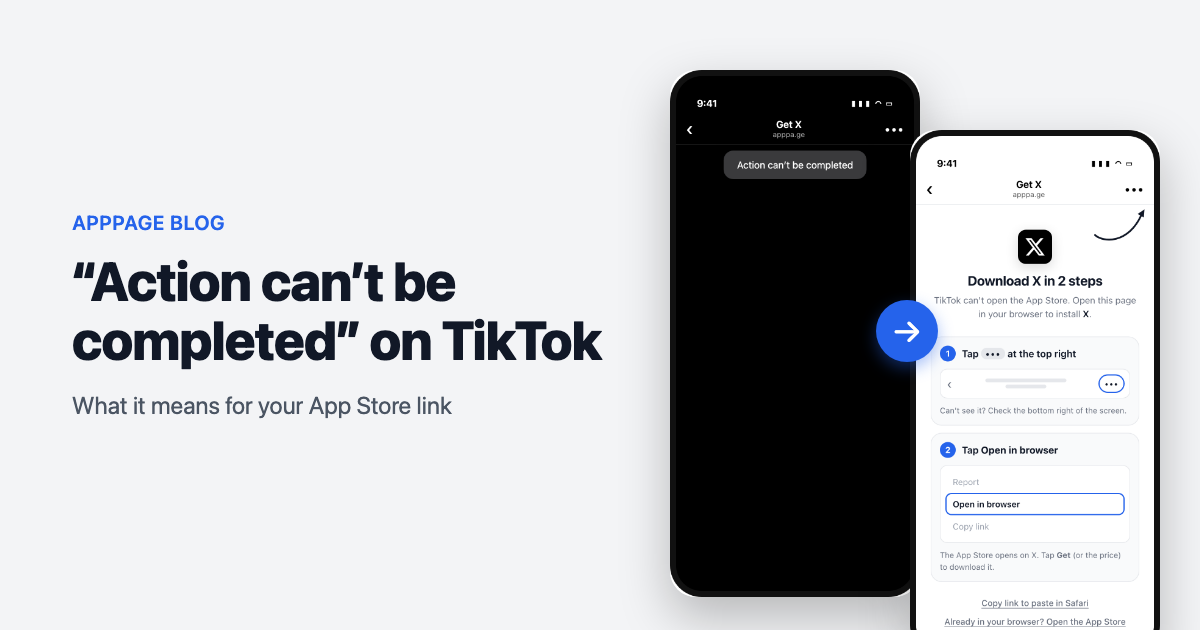
Someone taps the App Store link in your TikTok bio. A grey box appears: "Action can't be completed". They tap OK, they are back on your profile, and your app never got a look.
The first things people try are updating TikTok, clearing the cache and reinstalling. None of them help, because nothing is broken. TikTok is doing what it was built to do.
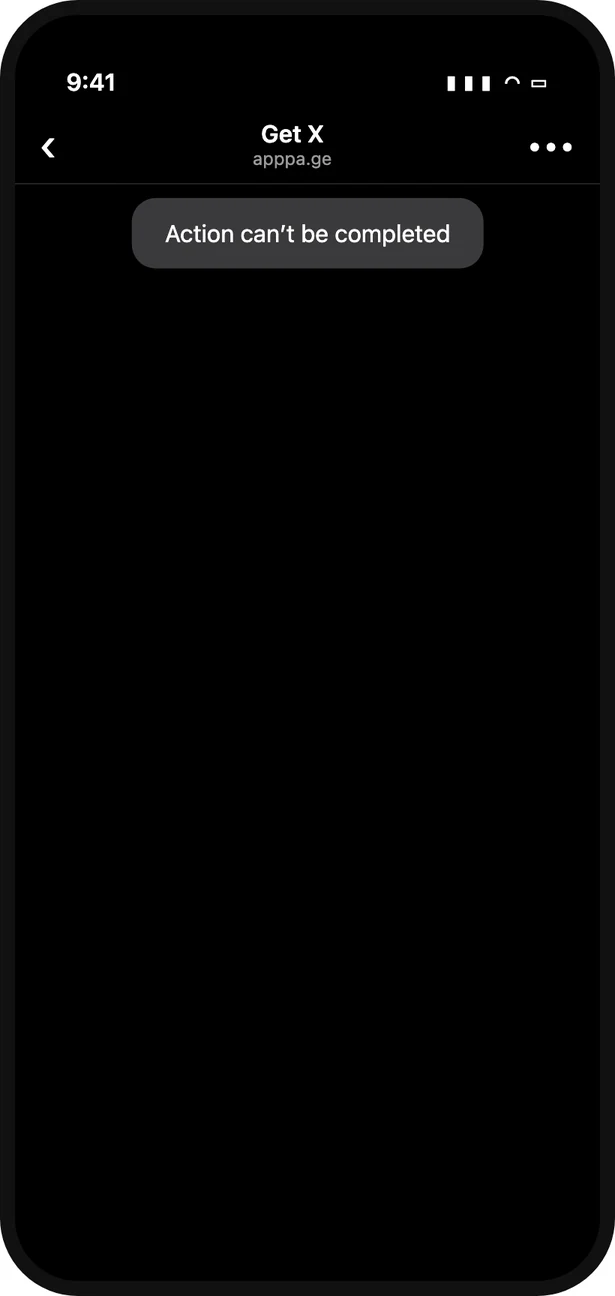
What an iPhone visitor sees after tapping an App Store link in TikTok: a blank page and "Action can't be completed".
What "Action can't be completed" means
It means TikTok refused to open the link. For App Store links that is deliberate: TikTok has blocked links to app store pages from creator bios since March 2023, and its in-app browser also refuses the addresses that would hand the visitor to Safari or the App Store.
TikTok confirmed the bio block to TechCrunch at the time. It covered links that pass through link-in-bio tools too, and the only exceptions testers found were accounts with an advertising relationship with TikTok. Nothing announced since suggests it has been lifted, and our own customers were still running into it in September 2026.
Why the usual fixes do not work
| What people try | Does it help? | Why not |
|---|---|---|
| Update TikTok | No | The block is policy, not a bug a new version fixes |
| Clear the cache or reinstall | No | Nothing stored on the phone causes it |
| Use a link shortener | No | The short link still ends on the App Store inside TikTok's browser |
| Put it on a link-in-bio page | No | The final tap to the App Store happens in the same browser, and the 2023 block named these tools |
Use the itms-apps:// address instead | Sometimes | Some TikTok builds let it through from a real tap, many do not |
How visitors get past it: 2 taps
From inside TikTok's browser, anyone can get out in two taps:
- Tap ••• at the top right of the screen. On some versions it sits at the bottom right.
- Tap Open in browser.
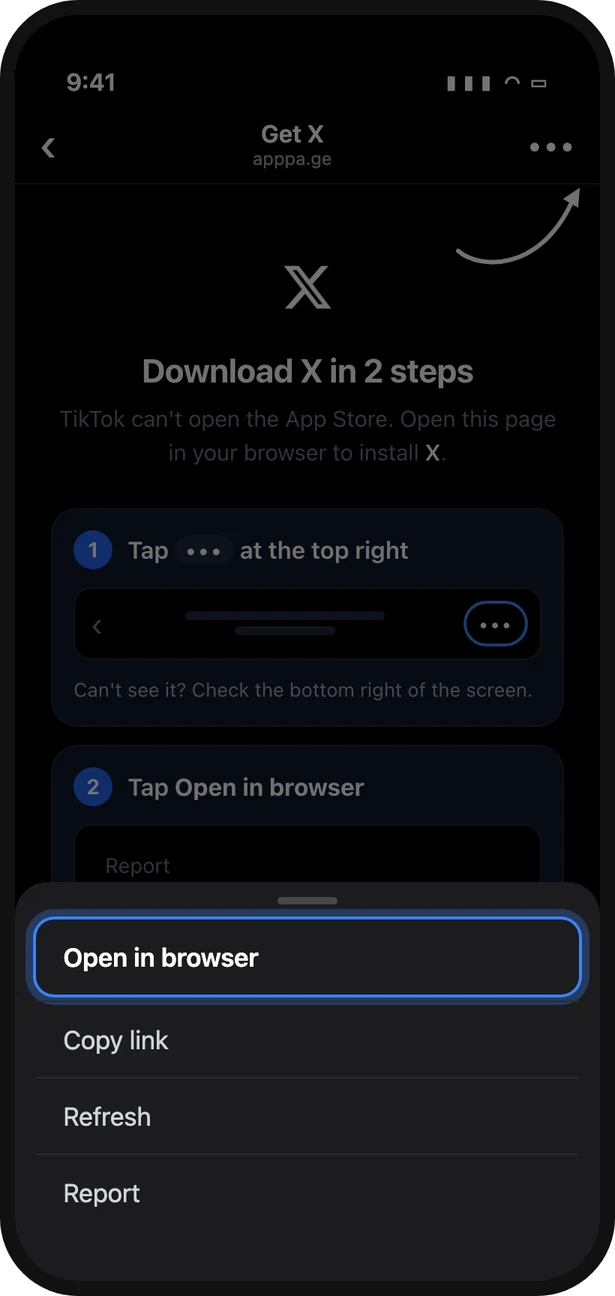
Tap ••• and choose Open in browser. Illustration: the other options and their order vary between TikTok versions.
The page reopens in Safari, and from Safari the App Store link works normally. If the menu has no browser option, Copy link in the same menu and paste it into Safari does the same job.
The catch is that almost nobody will do this on their own. A visitor who just hit an error does not go looking in a menu, they go back to scrolling. They have to be shown, at the moment it matters.
How to stop your followers hitting it
If you are a registered business, TikTok offers its own app download link and button. Use it where you can: it is the only route TikTok itself supports.
For everyone else, do not send TikTok visitors to a raw App Store link at all. Send them to a link that recognises TikTok on iPhone and, instead of walking into the block, opens a page that names your app and shows the two taps with a picture of each, plus an arrow at TikTok's menu button. The App Store button on that page still tries Apple's own address first, so on TikTok builds that allow it the visitor goes straight through.
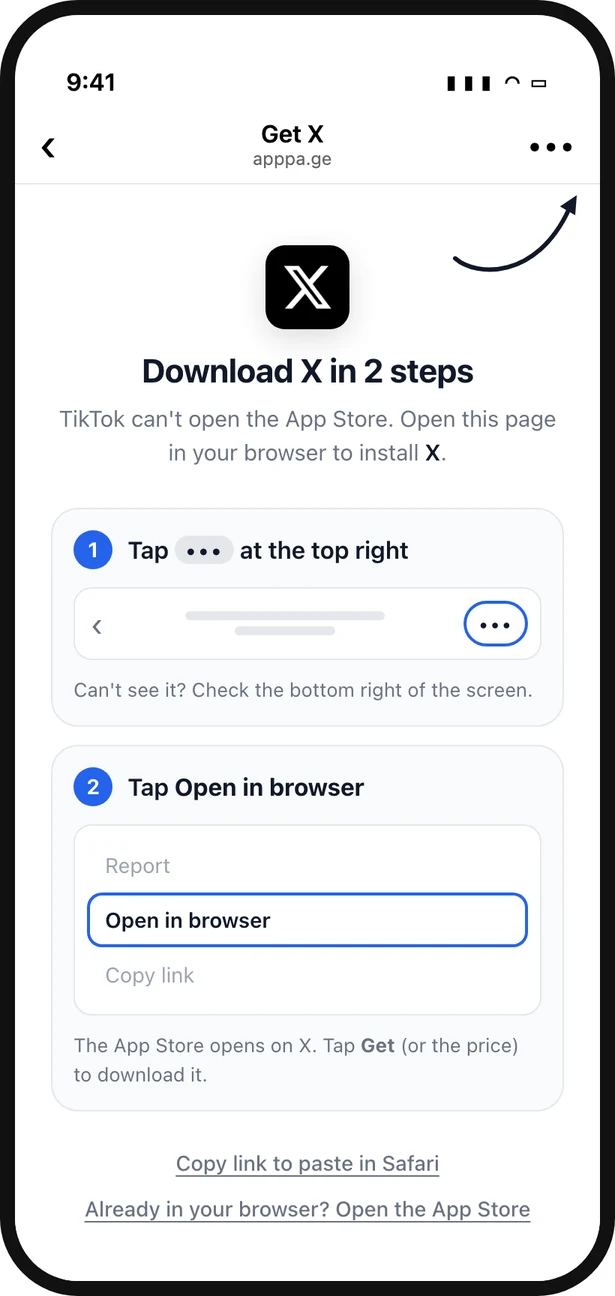
What the same tap shows with an AppPage link: the app named, and the two taps out of TikTok drawn for the visitor.
That is what an AppPage link does. Android, Safari and desktop visitors still go straight to the right store with no extra page. The full background, and how TikTok compares with Instagram, is in why App Store links do not work in TikTok.
Check your own link
Tap the link in your bio from the TikTok app on an iPhone. Safari and desktop will not show you the problem. If you get "Action can't be completed", so does every iPhone visitor who taps it.
Frequently asked questions
What does "Action can't be completed" mean on TikTok?
It means TikTok refused to open the link. With App Store links it is usually deliberate: since March 2023 TikTok has blocked links to app store pages from creator bios, and its in-app browser also refuses the addresses that would hand the visitor to Safari or the App Store. Nothing is wrong with the phone or the link.
Will updating TikTok or clearing the cache fix it?
No. Those fixes help when an app is misbehaving, and TikTok is behaving exactly as intended here. Reinstalling, clearing the cache or logging out gives the same message on the next tap.
Why does the same link work in Safari?
Safari follows the App Store's redirect to the App Store app. TikTok's in-app browser does not, and for bio links TikTok blocks the destination on purpose. That is also why a link can look fine when you test it on your own phone in Safari and still fail for every visitor who taps it inside TikTok.
How can someone get past it right now?
Inside TikTok's browser, tap the three dots at the top right and choose Open in browser. The page opens in Safari, where the App Store link works. If there is no browser option, copy the link from the same menu and paste it into Safari.
Can I stop my followers seeing it at all?
Registered business accounts can use TikTok's own app download link. For everyone else, use a link that detects TikTok and shows a page walking the visitor through the two taps above, instead of sending them into the block. AppPage does this automatically for TikTok on iPhone.
Keep reading
Best App-ads.txt Generators in 2026, Including Free Hosting for Apps Without a Website
Writing app-ads.txt takes a minute. Hosting it where AdMob looks is the hard part. The best generators, hosts and checkers in 2026, with prices and crawler rules.
Best Firebase Dynamic Links Replacements in 2026, Sorted by What You Used It For
Firebase Dynamic Links did three jobs, so no single tool replaces it. The best replacement for store routing, deep links and deferred deep linking, with prices.