TikTok App Store Link Not Working: Why It Happens and the Fix
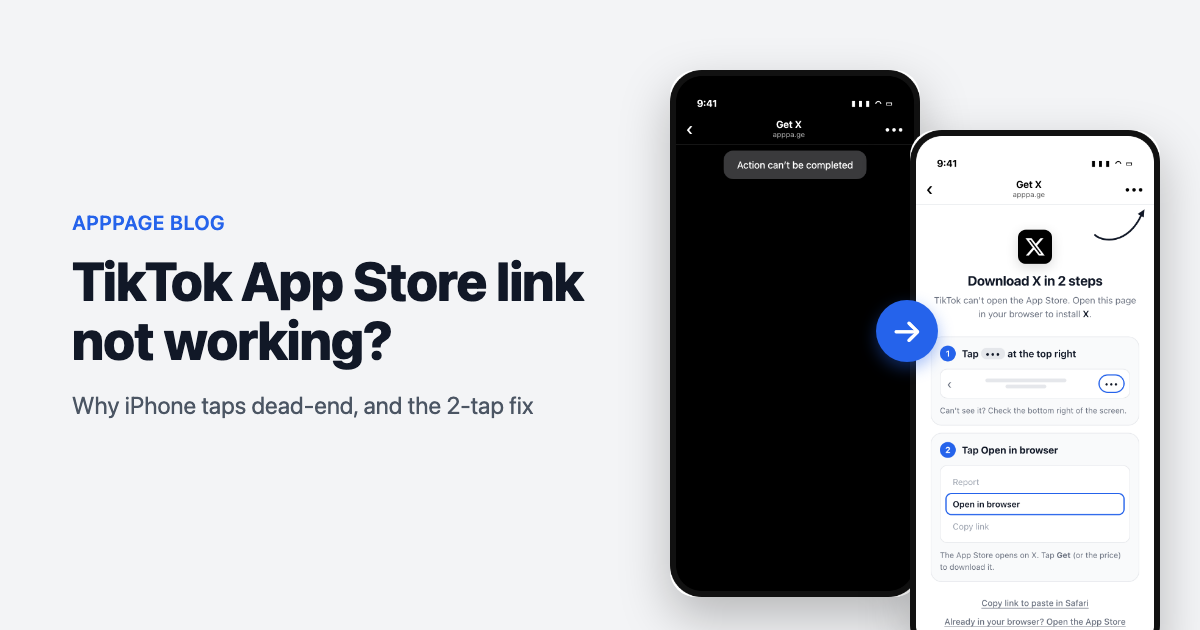
You put your App Store link in your TikTok bio or on a video. Someone on an iPhone taps it. Instead of your App Store listing they get a blank page, a spinner that never finishes, or a grey box that says "Action can't be completed". They swipe back to the feed and you never hear about it.
You did not break anything. Open the same link in Safari and it works. The problem is where it was tapped.
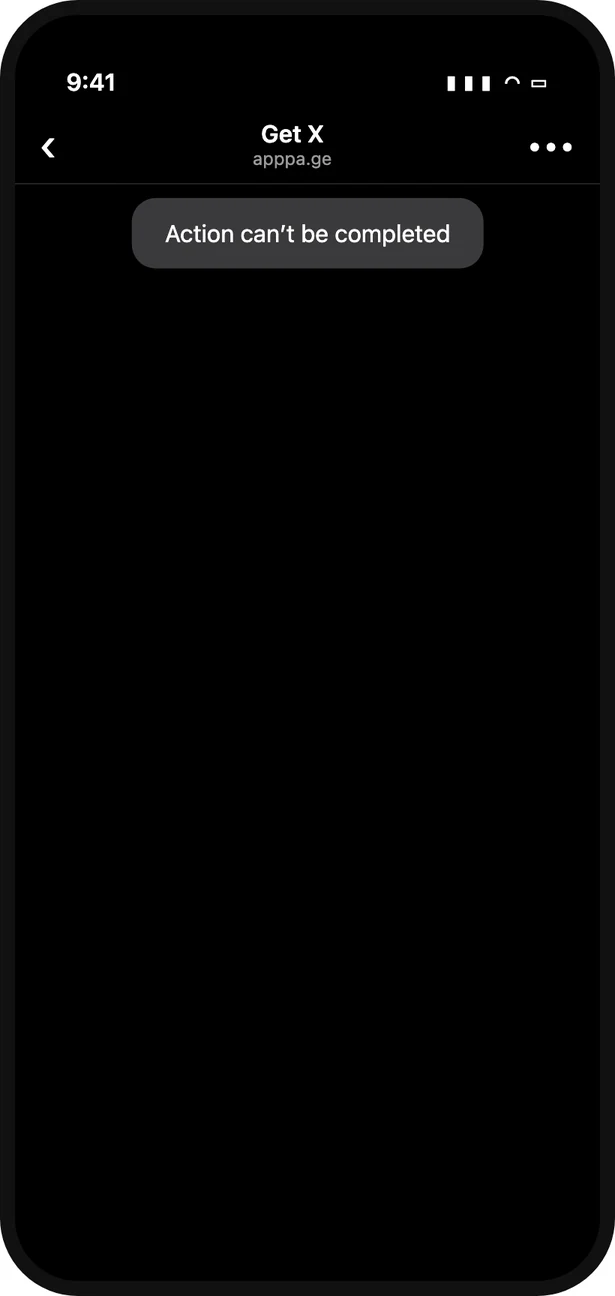
What an iPhone visitor sees after tapping an App Store link in TikTok: a blank page and "Action can't be completed".
Why do App Store links not work in TikTok?
TikTok opens links inside its own browser, and on iPhone that browser does not pass App Store links on to the App Store. On top of that, TikTok has blocked App Store links in creator bios on purpose since March 2023. So there are two problems stacked on each other: a technical one that TikTok shares with Instagram and Facebook, and a policy one that is TikTok's own.
What is actually happening
When someone taps a link in TikTok, it does not open Safari. It opens a small browser that TikTok controls, sitting inside the TikTok app. That browser renders web pages fine. What it will not do reliably is the one thing an App Store link needs: hand the visitor over to another app.
An apps.apple.com link works by redirecting to Apple's own itms-appss:// address, which iOS opens in the App Store app. Safari follows that redirect. TikTok's browser, like the ones in Instagram and Facebook, often does not, so the visitor is left looking at an empty page.
Then there is the policy. In March 2023 TikTok confirmed to TechCrunch that it had started blocking links to app store pages from creators' bios, including links that pass through link-in-bio tools. When the block catches a tap, TikTok shows "Action can't be completed". The only exceptions testers found were accounts with an advertising relationship with TikTok.
Where you will see it
- The website link in your TikTok bio
- Link-in-bio pages that list your app among other links
- Links shared in TikTok DMs
- Traffic and website campaigns that send ad clicks to an App Store URL through the in-app browser
Android is much less affected. Its webviews can hand a Play Store link to the Play Store app, so most Android taps arrive. The damage is concentrated on iPhone.
How TikTok differs from Instagram
If you have read why Instagram blocks App Store links, the technical half will sound familiar. The fix does not carry over, for two reasons.
- There is no escape hatch. Instagram has a private address that hands a page to Safari, and Facebook lets
x-safari-https://through. TikTok has no equivalent that works. Try the Safari trick in TikTok and you get "Action can't be completed". - Nothing happens without a tap. TikTok ignores attempts to open another app unless they come directly from the visitor's own tap. A page cannot quietly try one route after another in the background the way it can in Instagram.
That means no link can promise a silent, zero-tap jump from TikTok to the App Store on every iPhone. Anyone who tells you otherwise has not tested enough TikTok builds.
How the fixes compare
| Approach | Works from TikTok on iPhone? | Effort | Catch |
|---|---|---|---|
| Link straight to apps.apple.com | No | None | Blank page, or blocked outright in bios |
| Link shortener or link-in-bio page | No | Low | The last hop still happens inside TikTok's browser, and the 2023 block names these tools |
| Updating TikTok, clearing the cache | No | Low | Nothing on the phone is broken, so there is nothing to clear |
| "Search for us on the App Store" in the caption | Sometimes | None | You lose everyone who does not bother, and anyone who taps a lookalike app |
| TikTok's own app link for business accounts | Yes | Business registration | Only available to registered business accounts, not creators |
| Smart link with a guided escape (apppa.ge) | Yes | Minutes | On some TikTok builds the visitor needs two taps |
Bottom line: if you are a registered business, use TikTok's own app link where you can. For creators, bios, videos and anything else, you need a link that knows it is inside TikTok and gets the visitor out on purpose.
The fix: a link that knows it is inside TikTok
A smart link checks where each tap comes from before deciding what to do with it.
- Android, desktop, Safari, Chrome: straight to the right store with no extra step. Nothing about those paths is broken, so nothing changes.
- TikTok on iPhone: instead of redirecting to a dead end, the link opens a short page that names your app and shows the way out.
- The first tap is not wasted. The App Store button on that page uses Apple's own store address directly, which some TikTok builds do let through. If TikTok refuses it, the visitor is already looking at the fallback.
The fallback is two taps, shown with a picture of each: tap the ••• button at the top right of TikTok's browser, then tap Open in browser. The page opens in Safari, Safari opens the App Store, and the visitor lands on your listing ready to install. An arrow points at TikTok's menu button so nobody has to hunt for it, and a copy link button covers the rare menu that has no browser option.
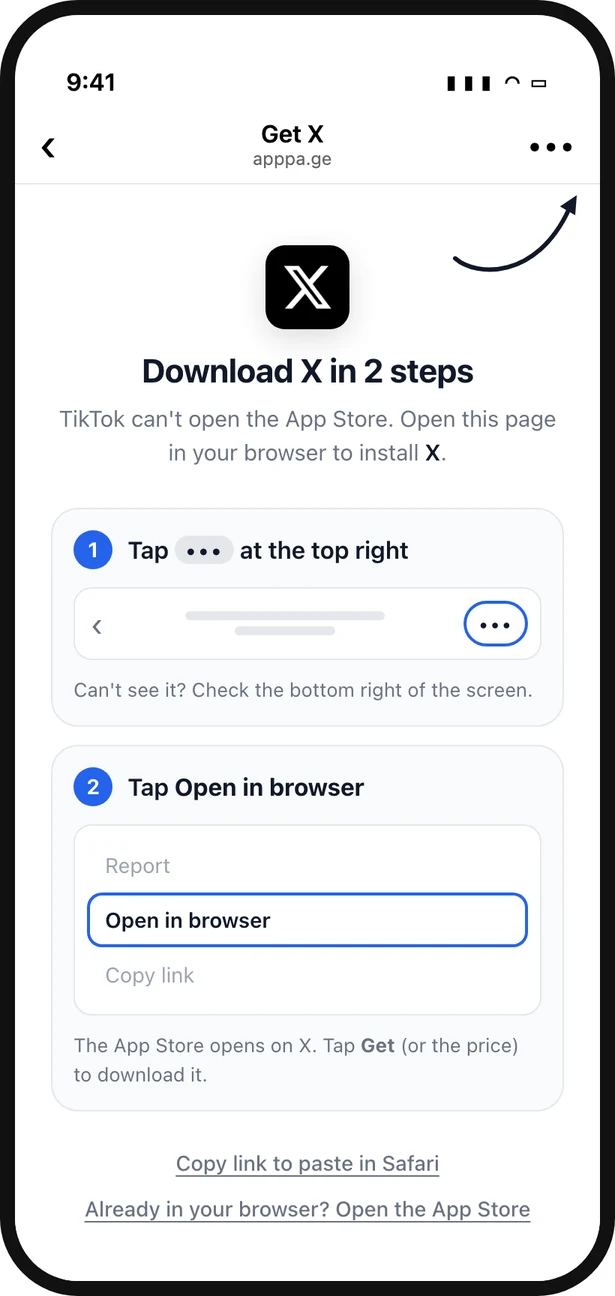
What the same tap shows with an AppPage link: the app named, and the two taps out of TikTok drawn for the visitor.
Two taps is not zero. It is a lot better than a blank page, which converts at nothing.
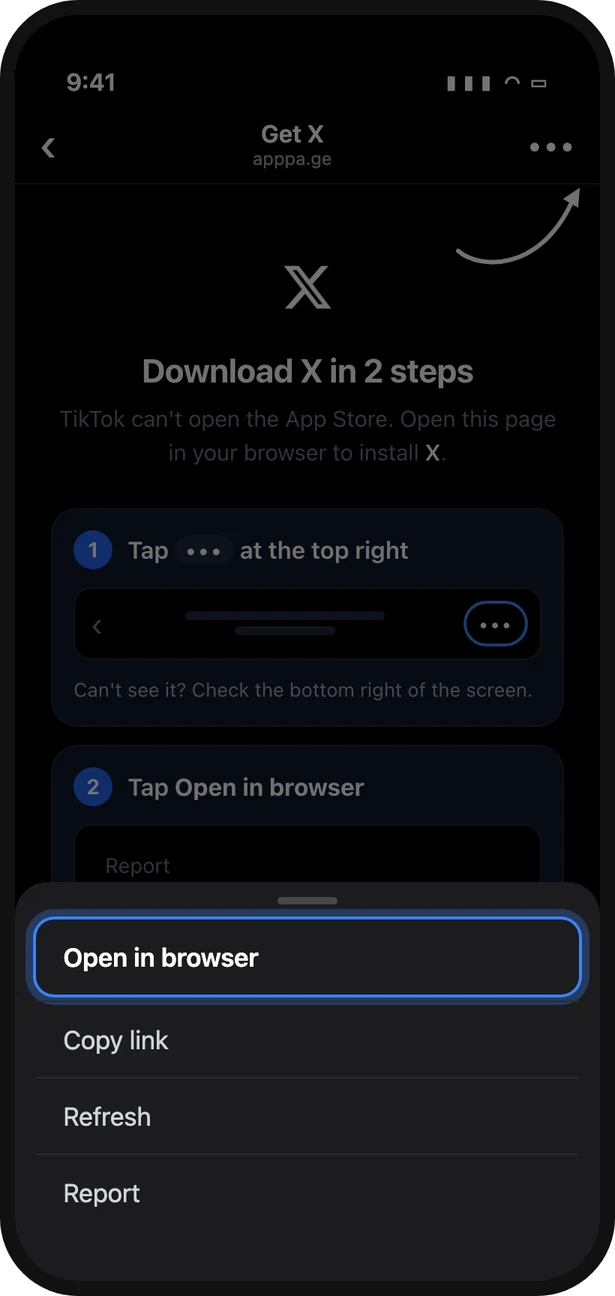
Tap ••• and choose Open in browser. Illustration: the other options and their order vary between TikTok versions.
Setting it up
- Create a link on AppPage by pasting your App Store and Play Store URLs.
- Put the apppa.ge link in your TikTok bio, your video captions and your campaigns, in place of the raw App Store URL.
- Tap it from TikTok on an iPhone to see what your visitors see.
The same link also fixes Instagram, Threads, Facebook and Messenger, which each need a different route out. You get a landing page built from your store listing, a QR code, and analytics that show which in-app browser each tap came from, so you can see how much of your traffic TikTok actually is.
Check your own link today
Do not test in Safari or on a laptop, because both work and hide the problem. Open TikTok on an iPhone, tap the link in your bio, and watch. If you do not land on your App Store listing, every iPhone visitor from TikTok is getting the same result. If you are seeing the grey "Action can't be completed" box in particular, here is what that message means.
Frequently asked questions
Why does my App Store link not open from TikTok?
TikTok opens every link in its own in-app browser, and on iPhone that browser does not hand App Store links over to the App Store. Since March 2023 TikTok has also blocked App Store links in creator bios on purpose, which is where the "Action can't be completed" message comes from. Your link is fine. The same link works in Safari.
Is TikTok blocking App Store links on purpose?
Yes. TikTok confirmed to TechCrunch in March 2023 that it had started blocking links to app store pages from creator bios, including links that go through link-in-bio tools. The only exceptions testers found were accounts that advertise with TikTok. There is no bug to wait out, so plan around it.
Does this happen on Android too?
Much less. Android webviews can hand a Play Store link to the Play Store app, so Android taps from TikTok mostly arrive. The failures are concentrated on iPhone, which is usually where the most valuable installs come from.
Will a link shortener or Linktree fix it?
No. A short link or a link-in-bio page still opens inside TikTok's browser, and the final hop to the App Store fails there in exactly the same way. TikTok's 2023 block also named link-in-bio tools specifically.
How do I get people from TikTok to the App Store?
Use a link that detects TikTok on iPhone and, instead of redirecting to a dead end, first tries the App Store's own scheme and then shows the visitor the two taps that get them out: the three-dot menu, then Open in browser. From the browser the App Store opens normally. Registered business accounts can also use TikTok's own app download link.
How do I test whether my link is broken in TikTok?
Put the link in your TikTok bio or a private video, then tap it from the TikTok app on an iPhone. Testing in Safari or on desktop proves nothing, because those paths work. If you see a blank page, a spinner or "Action can't be completed" instead of your App Store listing, every iPhone visitor from TikTok sees the same.
Keep reading
Best App-ads.txt Generators in 2026, Including Free Hosting for Apps Without a Website
Writing app-ads.txt takes a minute. Hosting it where AdMob looks is the hard part. The best generators, hosts and checkers in 2026, with prices and crawler rules.
Best Firebase Dynamic Links Replacements in 2026, Sorted by What You Used It For
Firebase Dynamic Links did three jobs, so no single tool replaces it. The best replacement for store routing, deep links and deferred deep linking, with prices.