Instagram Started Blocking App Store Links: Why It Happens and the Best Fix
Last updated
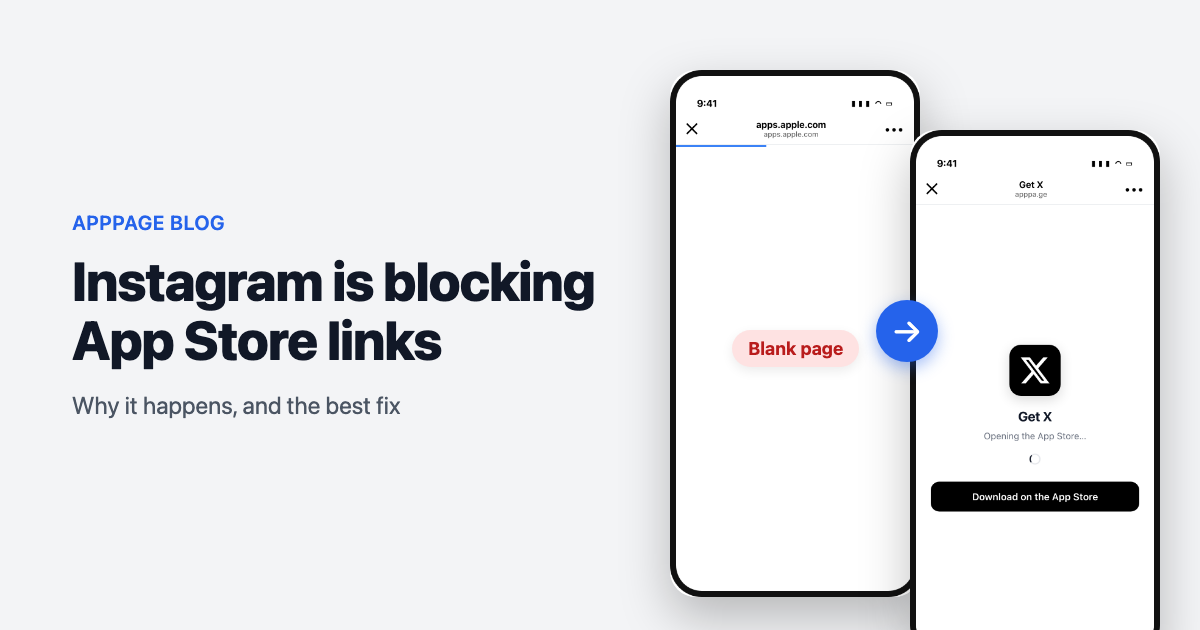
If you run app install campaigns through Instagram, you have probably seen it: someone taps your link, a browser opens inside Instagram, and the App Store never loads. The page sits there. Sometimes it shows an error. Sometimes it just does nothing at all.
You did not do anything wrong. Instagram's in-app browser cannot open the App Store, and that quietly breaks the most valuable link in your funnel.
Why do Instagram links not open the App Store?
Instagram opens links in its own embedded browser rather than Safari, and that embedded browser cannot hand off to the App Store app. On iOS, opening the App Store requires the system to intercept an itms-apps:// or apps.apple.com navigation and pass it to another app. Instagram's webview does not perform that hand-off, so the navigation is dropped and the user sees a blank screen.
Instagram Bio Links to the App Store Are Broken. Here's How to Fix Them
What is actually happening under the hood
Instagram renders your page in a WKWebView, the same component any iOS app can embed. What that webview does with a navigation is up to the app hosting it. Safari passes a store navigation to the system, which brings the App Store forward. Instagram's declines, and it declines silently: no error page, no callback, nothing written to a log anywhere you can see it.
That silence is why the failure is so easy to miss. There is no crash to report and no error state to design for. The user gets a white screen or a spinner that never resolves, reads it as a broken app rather than a broken link, and goes back to scrolling. You paid for that tap and got nothing.
Where you will see it
- Link in bio, tapped from a profile
- Story swipe-ups and link stickers
- Instagram ads pointing at a landing page
- Links sent in Instagram DMs
- The same problem in Facebook, Messenger and Threads, which share the same webview
Android is less affected, because Play Store links resolve more forgivingly from embedded browsers. The pain is concentrated on iOS, which is usually where your highest-value users are.
How the fixes compare
Most teams work through the same list before landing on something that holds up.
| Approach | Works from Instagram on iOS? | Effort | Catch |
|---|---|---|---|
| "Open in Safari" instructions | Only if the user follows them | Low | Asks a stranger to do four steps before they care about your app |
| Link straight to apps.apple.com | No | None | The tap still opens inside Instagram's webview, which still cannot hand off |
| Firebase Dynamic Links | No longer available | - | Shut down by Google in August 2025 |
| Build your own redirect | Yes, if maintained | High, ongoing | User-agent parsing breaks whenever Meta ships an update |
| Smart link (apppa.ge) | Yes | Minutes | A third-party dependency in your link path |
Bottom line: if you send meaningful traffic from Instagram and do not want to own user-agent detection as a permanent maintenance job, a smart link is the shortest path to a working install flow.
"Open in browser" instructions
The one option that costs nothing to try, and the only one worth defending in a narrow case: transactional links sent to people who already use your app and already want to arrive. For cold traffic from an ad or a bio, every instruction is a filter, and this one filters out most of the people who were curious rather than committed.
Linking straight to the App Store
Worth knowing that this holds for every variation of the destination. A short link, a marketing URL with campaign parameters, an itms-apps:// scheme instead of an https one: they all resolve inside the same webview, so they all end the same way. The scheme is not the variable that matters.
Firebase Dynamic Links
If you have not audited for it since the August 2025 shutdown, check your older campaign URLs and any links printed on packaging or embedded in email templates. Those outlive the dashboards people actually look at, and an FDL link in an old flyer now fails for reasons that have nothing to do with Instagram.
Building your own redirect
The build is not the hard part. The maintenance is: in-app browser user-agent strings change without announcement, and when one does, your redirect stops escaping and nothing tells you. There is no test that fails, no alert that fires. You find out from a conversion rate that drifted last month.
The fix: a link that knows where it landed
The reliable approach is a link that inspects the environment before deciding what to do. That is what apppa.ge does.
One link, and on every tap it works out three things:
- Which platform - iOS, Android or desktop, so the user reaches the correct store rather than a chooser page.
- Which browser - specifically whether this is Instagram, Facebook, Messenger, Threads or another in-app browser that cannot hand off to the App Store.
- What to do about it - a straight redirect where that works, and an escape route where it does not.
Ordinary Safari on iOS gets a direct redirect to the App Store. Instagram on iOS gets a purpose-built page that escapes the in-app browser and opens the store properly, with a one-tap fallback and a copyable link if the user prefers to do it manually. Instagram on Android still goes straight through to Google Play, because that path works and does not need interrupting.
The user experience is one tap, then the App Store. No instructions, no three-dot menu, no dead end.
What you get besides the fix
Because everything routes through a single link, a few things come along with it:
- A landing page for your app at your own slug, with screenshots, description and store badges - useful when you need somewhere to point that is not a raw store link.
- Analytics on every tap: platform, country, and which in-app browsers your traffic actually arrives from. Most people are surprised by how much of it is embedded browsers.
- A QR code for the same link, for print, decks and events.
- Custom domains, so the link carries your brand instead of ours.
- Store compliance pages - privacy policy, terms and app-ads.txt hosting - which both stores ask for.
Setting it up
- Paste your App Store or Google Play URL into apppa.ge. Your app details are pulled in automatically.
- Pick your slug, so the link reads
apppa.ge/yourapp. - Put that one link everywhere: bio, stories, ads, DMs, email, print.
The whole setup takes a couple of minutes.
Worth doing now
This failure is invisible in most dashboards. The tap registers, the click-through looks healthy, and the install never happens. Nothing tells you the App Store failed to open - you just see a conversion rate that seems lower than it should be and no obvious reason why.
If a meaningful share of your traffic arrives from Instagram, it is worth testing your current link from inside the Instagram app today, on an iPhone. If it dead-ends, that is the gap, and it is a small one to close.
For the current status of the problem, including whether Meta has fixed anything and how to size what it is costing you, see Instagram App Store link not working: still broken in August 2026.
Frequently asked questions
Why does my App Store link not open in Instagram?
Instagram opens links in its own embedded browser instead of Safari, and that browser cannot hand off to the App Store app. On iOS, opening the App Store requires the system to intercept the navigation and pass it to another app, which Instagram's webview does not do. The link is dropped and the user sees a blank page.
Does this affect Android too?
Much less. Google Play links resolve more forgivingly from embedded browsers, so Android users usually reach the Play Store even from inside Instagram. The failure is concentrated on iOS, which is why a fix should treat the two platforms differently rather than showing everyone the same interstitial.
Does the same problem happen in Facebook, Messenger and Threads?
Yes. All of Meta's apps use the same in-app browser technology, so an App Store link that fails in Instagram will usually fail in Facebook, Messenger and Threads as well. TikTok and LinkedIn use their own in-app browsers with similar limitations.
Can I just tell people to open the link in Safari?
It works when people follow the instruction, which makes it defensible for links sent to existing users who already want to arrive. For cold traffic from a bio or an ad it converts badly, because you are asking someone who has not yet decided they want your app to work through a menu first.
What replaced Firebase Dynamic Links?
Google shut Firebase Dynamic Links down in August 2025 without a direct replacement. Teams that relied on it have moved to smart link services that do the same device detection and store routing, or built their own redirect layer. Smart links also handle the in-app browser case, which Firebase Dynamic Links never solved.
How do I test whether my own link is broken?
Put the link in your Instagram bio, then tap it from the Instagram app on an iPhone. Do not test it in Safari or on desktop, because those paths work fine and hide the problem. If the App Store does not open within a couple of seconds, your link is dead-ending for every iOS visitor arriving from Instagram.
Keep reading
Best App-ads.txt Generators in 2026, Including Free Hosting for Apps Without a Website
Writing app-ads.txt takes a minute. Hosting it where AdMob looks is the hard part. The best generators, hosts and checkers in 2026, with prices and crawler rules.
Best Firebase Dynamic Links Replacements in 2026, Sorted by What You Used It For
Firebase Dynamic Links did three jobs, so no single tool replaces it. The best replacement for store routing, deep links and deferred deep linking, with prices.