Google Play Trader Status: What to Declare and Where to Get a Terms of Service Link
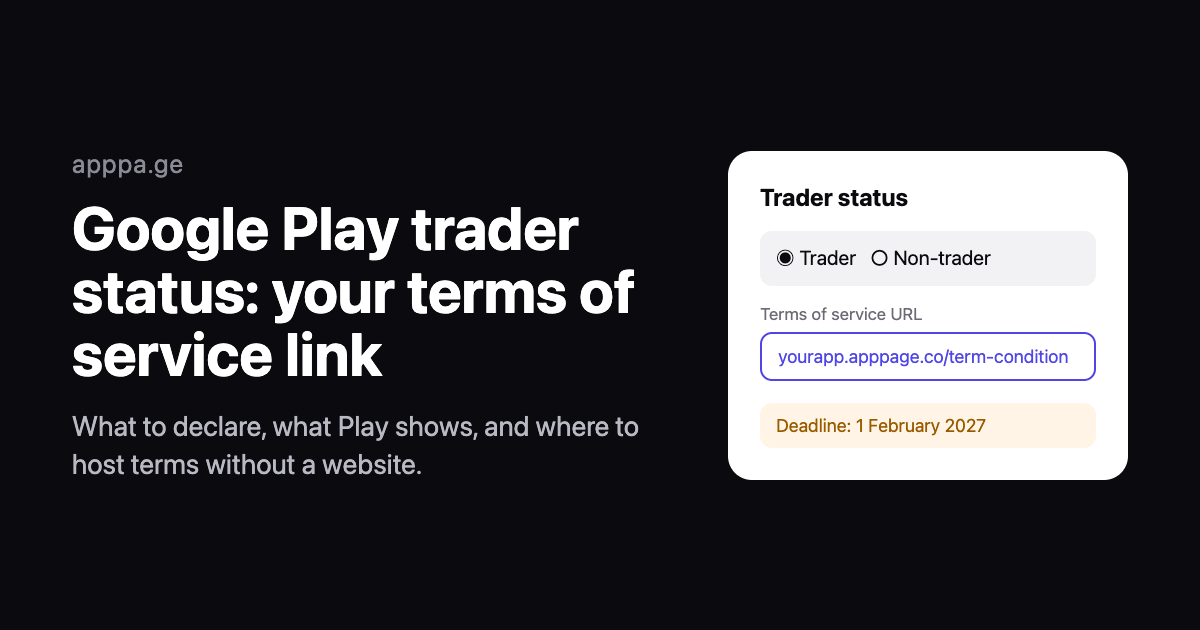
Every Google Play developer has to tell Google whether they are a trader by 1 February 2027. If you are one, Play Console also asks for a link to the terms of service of each of your apps. That second part is catching out indie developers who never needed a website, let alone a terms page.
Short answer: open Play Console and answer the trader question. If you are a hobbyist, or you do not distribute in the EEA or UK, you can declare as a non-trader and you are done. If you earn money from your apps and distribute in Europe, you are probably a trader. Then you need a public terms of service URL for each app, and your contact details will be shown on your listing from 1 March 2027. If you have no website, you can generate terms of service free and host them on a free AppPage page.
Disclosure: we make AppPage, one of the hosting options below. The rules come from Google's Play Console Help page on trader status and its 29 October 2026 policy announcement, checked on 18 November 2026. This article is not legal advice.
What changed
Google's 29 October 2026 policy announcement says that starting in November 2026, developers must declare their trader status in Play Console. The reason is European: Google Play becomes an online marketplace under EEA and UK consumer law on 1 March 2027, and that law treats traders and private individuals differently. Google decided to ask every developer worldwide rather than only those in Europe.
| Date | What happens |
|---|---|
| November 2026 | The trader question appears in Play Console. New accounts answer it when they are created. |
| 1 February 2027 | Deadline for existing accounts. Missing it may lead to blocked app updates and removal from Google Play globally. |
| 1 March 2027 | Play starts showing trader details on listings, including the terms of service link. |
Trader or non-trader?
The law asks whether you act for purposes related to your trade, business, craft or profession. Google gives two pointers, and the rest is your call:
- A hobby is unlikely to make you a trader. Google says a personal hobby or other non-commercial activity is unlikely to count.
- No EEA or UK distribution means you can declare non-trader. If your apps are not available in those countries, Google says you can pick non-trader.
Between those two is where most indie developers sit. If you sell the app, sell in-app purchases or subscriptions, or run ads for income, you are much closer to a trader than a hobbyist. Do not pick non-trader to avoid the paperwork. Google says a false declaration breaches the Developer Distribution Agreement and can get the account suspended or terminated, and it may ask you to confirm your status if it suspects you are a trader. Non-traders also get a notice on their listing in Europe telling users that consumer protection rights do not apply to their dealings with you.
What traders have to provide, and what Play shows
If you declare as a trader, Google asks you to:
- Confirm your products comply with the law in the countries where you distribute.
- Give a terms of service link for each app. Google's wording is that you "will also be asked to provide the link to the terms of service for each of your apps". In Play Console the field sits under App content, App-level trader status and Terms of Service, and it is marked optional. Play only shows the link if you add one, but a trader listing with no terms gives European buyers nothing to read.
- Provide contact details. On a personal account that means a phone number that will be displayed, and your address will be public too. The address is taken from your payments profile.
- Confirm trader status per app in App content. This is a separate step from the account-level answer, and it is the one that carries the terms link, so do not skip it.
From 1 March 2027, everyone who looks at a trader's listing sees the contact details, a D-U-N-S number in the App support section where one applies, and the terms of service link if you gave one. In the EEA and UK, your name also replaces Google in the "Offered by" field.
The address deserves a minute of thought before you answer. If your payments profile uses your home address and you declare as a trader on a personal account, that address goes on your public listing. It has to be a real address you can be contacted at, so the fix is not a fake one. Some solo developers move to an organisation account with a business address. Check Google's rules and your local requirements first.
What a terms of service for an app should cover
Google asks for the link but does not prescribe the contents. For a typical small app, a terms page should cover:
- Who offers the app and how to contact them.
- What users may and may not do: no copying, reverse engineering or reselling.
- Payments: in-app purchases and subscriptions are billed by the store, renew automatically, and are cancelled and refunded through the store.
- The limits of your responsibility, such as data charges, outages and third-party content.
- Updates, and what happens if you stop offering the app.
- For EEA and UK users, a statement that the terms do not take away their statutory consumer rights.
- If users sign up, how they delete their account. Apple and Google both expect apps with accounts to offer deletion.
- If the app is on the App Store and you use your own licence agreement instead of Apple's standard EULA, the minimum terms Apple requires, such as Apple being a third-party beneficiary.
- The governing law, the effective date and a contact email.
Our free terms of service generator for apps writes all of this from a short form, with optional sections for traders, Apple App Store terms, accounts, in-app purchases and governing law. It runs in your browser and sends nothing anywhere. It is a template for small apps, not a substitute for a lawyer if your app takes payments outside the stores, handles health data, hosts content from users or is aimed at children.
Where to host it if you have no website
Play Console wants a URL, not a file. Any public HTTPS page works, so the question is how the link looks on your listing and whether it will still be there in two years.
| Option | Cost | Good | Watch out for |
|---|---|---|---|
| Your own website | Whatever you already pay | Most professional, fully under your control | None, if you have one |
| AppPage | Free for 1 app, then $5/month for 5 apps | Terms, privacy policy and a landing page on one domain such as yourapp.apppage.co | The legal pages go offline if a paid plan lapses |
| GitHub Pages, Netlify, Cloudflare Pages | Free | Reliable, and you own the content | You build and maintain the page yourself |
| Google Docs (published to the web), Notion | Free | Fastest to set up | Looks unfinished to users; easy to unpublish by accident |
Hosting your terms on AppPage
AppPage builds a landing page for your app from its store listing, on its own subdomain. The dashboard has a Terms & Conditions tab: generate the terms there, or paste the ones from the generator, and they are live at yourapp.apppage.co/term-condition. That is the URL you paste into Play Console. The same domain serves a generated privacy policy and app-ads.txt, so one domain covers the terms link, the privacy policy link and the developer website on your listing.
Two plan details matter here. The Free plan covers one app, and its link-click and landing-visit allowances do not apply to the legal pages, so your terms stay up. If you subscribe to a paid plan and later cancel it, though, the app goes inactive and its legal pages stop being served until you resubscribe. If you subscribe, keep that in mind before you put the link on a store listing.
Step by step
- Decide whether you are a trader, using Google's guidance above and advice if you need it.
- Check your payments profile address if you will declare as a trader on a personal account.
- Write your terms of service, with the generator or your own.
- Publish them at a public URL, one per app.
- Declare your status in Play Console at account level, then open App content and start the App-level trader status and Terms of Service declaration for each app, pasting the terms URL there.
- Do it before 1 February 2027.
If you also need a privacy policy URL, a developer website or an app-ads.txt file on your listing, the same AppPage domain covers all of them. Create your app page free.
Frequently asked questions
When is the Google Play trader status deadline?
Existing developer accounts must declare trader or non-trader status in Play Console by 1 February 2027. New accounts declare when they are created. From 1 March 2027 Google Play shows trader information on store listings, and Google says missing the deadline may lead to blocked app updates and removal from Google Play in every country.
Do I need a terms of service link for Google Play?
Not strictly. Google asks developers who declare as traders for a terms of service link for each app, but the field in Play Console is optional, and Play shows the link on the listing from 1 March 2027 only if you provide one. Non-traders are not asked for one. The trader declaration itself is mandatory.
Am I a trader if my app is free with ads?
Possibly. EU and UK consumer law treats you as a trader when you act for purposes related to your trade, business, craft or profession, and earning money from an app, through ads as well as sales, is a common sign of that. Google says a personal hobby or other non-commercial activity is unlikely to make you a trader. Google cannot decide this for you, and declaring non-trader when you are one breaches the Developer Distribution Agreement, so get advice if you are unsure.
Can I declare as a non-trader if I do not sell in Europe?
Google says that if you do not distribute apps in the EEA or the UK, you can declare as a non-trader. The declaration is still required, wherever you are based.
Will Google Play show my home address?
If you declare as a trader on a personal developer account, Google says it will display a contact phone number and your address. The address comes from your Google payments profile, so if that is your home address, it will be public from 1 March 2027.
Where can I host a terms of service page if I have no website?
Any public HTTPS URL works. AppPage hosts a terms page free for one app at yourapp.apppage.co/term-condition, next to a privacy policy and a landing page on the same domain. A Google Doc published to the web, Notion or GitHub Pages also works, but they look less professional on a store listing.
Keep reading
Best App-ads.txt Generators in 2026, Including Free Hosting for Apps Without a Website
Writing app-ads.txt takes a minute. Hosting it where AdMob looks is the hard part. The best generators, hosts and checkers in 2026, with prices and crawler rules.
Best Firebase Dynamic Links Replacements in 2026, Sorted by What You Used It For
Firebase Dynamic Links did three jobs, so no single tool replaces it. The best replacement for store routing, deep links and deferred deep linking, with prices.