Google Play Account Deletion URL: What the Page Needs and How to Get One Without a Website
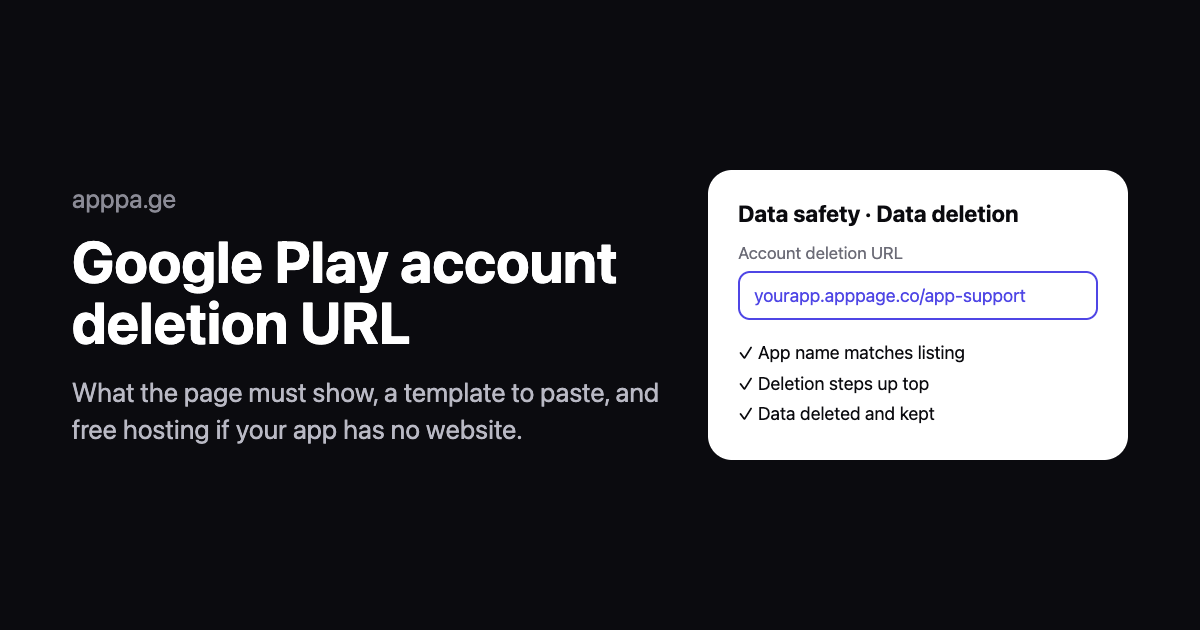
If users can create an account in your app, Google Play requires a web link where they can ask you to delete it without opening the app. The link goes in the Data safety form in Play Console, and a missing, broken or vague page is one of the most common reasons for a Data safety rejection.
Short answer: publish a public page that names your app exactly as it appears on Google Play, puts "Delete your account" near the top, says how to request it (a support email is acceptable), and lists what data is deleted and what you keep. Paste its URL into Play Console under App content, Data safety, Data deletion. If you have no website, AppPage hosts a support page with an account deletion section free for one app.
Disclosure: we make AppPage, one of the hosting options below. Requirements come from Google's Play Console Help page "Understanding Google Play's app account deletion requirements", checked on 18 November 2026. This is not legal advice.
Who needs an account deletion URL
The rule has applied since 2024 and covers any app that lets people create an account. That includes:
- Apps with sign-up inside the app, by email, phone or social login.
- Apps where the account is created on a website and used in the app.
- Apps where an account is optional, for example to sync or save progress.
It does not apply to accounts created and used only offline on the device, or to permanently private enterprise device management apps. Every app still answers the Data deletion questions in the Data safety form, even if the answer is that it has no accounts.
The web link is in addition to deleting from inside the app. Google requires both: a way to delete the account in the app, and a web link for people who have already uninstalled it.
What the page must show
| Requirement | What it means in practice |
|---|---|
| Names the app or developer | Use the name exactly as it appears on your Google Play listing. |
| Works | Public, loads without errors, no login wall, not a PDF. |
| Deletion is prominent | A clear "Delete your account" heading near the top. On a longer page, use an anchor link that jumps to it. |
| Steps to request deletion | A link, a form or a support email, plus anything users must do first, such as cancelling a subscription in the store. |
| What is deleted | The account and the data associated with it. |
| What is kept, and why | Any data kept for security, fraud prevention or legal reasons, and for how long. |
| No trip back to the app | The request must not require reinstalling or opening the app. |
Google does not set a deadline for completing a deletion, but it expects requests to be handled in a reasonably short time and users to be told what to expect. Stating a number, such as 30 days, removes the guesswork for reviewers and users.
Account deletion page template
Copy this, replace the bracketed parts and remove anything that does not apply to your app.
Delete your [App name] account
To delete your [App name] account and its data, email [support email] from the email address you signed up with, with the subject "Delete my account". You do not need to reinstall or open the app. You can also delete your account in the app under [Settings > Account > Delete account].
If you pay for a subscription, cancel it first in your Google Play or App Store account settings. Deleting your account does not cancel a store subscription.
What we delete: your account, profile, [content, settings and usage data], within [30] days of your request.
What we keep: [purchase records for [7] years to meet tax law], and [security logs for [90] days to prevent fraud]. Nothing else is kept.
We will confirm by email when your account has been deleted. Questions: [support email].
The retention lines matter. "We delete everything" is rarely true once payments or logs are involved, and a page that says one thing while your privacy policy says another is the kind of mismatch reviewers look for.
Where to host it if your app has no website
| Option | Cost | Good | Watch out for |
|---|---|---|---|
| AppPage | Free for 1 app, then $5/month for 5 apps | Support page with a deletion section, privacy policy and terms on one domain such as yourapp.apppage.co | Legal and support pages go offline if a paid plan lapses |
| GitHub Pages, Netlify, Cloudflare Pages | Free | Reliable, and you own the content | You build and maintain the page |
| Google Docs (published to the web), Notion | Free | Fastest to set up | Looks unfinished, and easy to unpublish by accident |
| A form service (Google Forms, Tally) | Free | Gives users a form to submit | The page still has to explain steps and data retention, not just collect requests |
Setting it up on AppPage
- Create a page for your app from its Google Play or App Store listing.
- Open the App Support tab and generate the support page. It includes an Account Deletion section with your app name and support email.
- Edit the page before you use it as your deletion URL. The starter text is general. Move the account deletion section to the top, replace it with the template above, and remove any sections that do not apply to your app, such as community forums or a contact form you do not have.
- Copy the URL,
yourapp.apppage.co/app-support, and paste it into the Data deletion section of the Data safety form in Play Console. - Check your privacy policy says the same thing. AppPage's generated privacy policy lives on the same domain, at
/privacy-policy.
The Free plan covers one app, and its link-click and landing-visit limits do not apply to the support and legal pages, so the deletion URL stays up. If you subscribe and later cancel, the app goes inactive and those pages stop being served, which would break the URL in your Data safety form.
Common reasons the link gets rejected
- The app name does not match the Google Play listing.
- Deletion is buried at the bottom of a long privacy policy with no anchor link.
- The page needs a login, or tells users to open the app to delete.
- Deactivation, not deletion. Google says temporarily deactivating or freezing an account does not count.
- No word on retained data when the app clearly keeps purchase or log data.
- The link is broken, redirects to a home page, or points at a PDF.
Where it goes in Play Console
- Open your app in Play Console, then App content.
- Open the Data safety form and go to the Data deletion questions.
- Confirm that users can request account deletion and paste your URL.
- If users can also delete some data without deleting the account, say so in the same section.
- Submit the form. The answers show on your listing's Data safety section once approved.
If you are in App content anyway for Google's trader status declaration, which is due by 1 February 2027, you can do both at once. Our guide to Google Play trader status and the terms of service link covers that one, and the free terms of service generator includes an account deletion section for apps with sign-up.
No website for your app yet? Create your app page free and get a support page, privacy policy and terms on one domain.
Frequently asked questions
What is the Google Play account deletion URL?
It is a public web page where users can ask you to delete their account and its data without opening the app. Google Play requires one for every app that lets users create an account, and you enter it in the Data deletion questions of the Data safety form on the App content page in Play Console.
What does the account deletion page have to show?
The app or developer name exactly as on the Google Play listing, a prominently featured way to request deletion, the steps users need to take, which data is deleted, and any data you keep and why, such as for fraud prevention or legal requirements. The link must load without errors.
Can the account deletion page just give an email address?
Yes. Google lists a customer service email as an acceptable way to request deletion, alongside a link that starts deletion or a request form. The page must still explain the steps and what happens to the data, and the request must not require reinstalling or reopening the app.
Do I need an account deletion URL if my app has no accounts?
No. The requirement applies to apps that let users create an account, including apps where sign-up happens on a website or where an account is optional. Accounts created and used only offline on the device do not count. You still answer the Data deletion questions in the Data safety form.
Can I use my privacy policy page as the account deletion URL?
Yes, if the deletion section is easy to find. Google says that when you reuse an existing privacy or retention page, the deletion path must be prominently featured, for example with an anchor link that jumps straight to it. A separate page with deletion at the top is simpler to review.
Where can I host an account deletion page if I do not have a website?
Any public HTTPS URL that loads without a login. AppPage hosts an app support page with an account deletion section free for one app at yourapp.apppage.co/app-support, on the same domain as your privacy policy and terms. GitHub Pages, Notion or a Google Doc published to the web also work.
Keep reading
Holiday App Download QR Codes: One Code for iPhone and Android on Black Friday Print
One QR code for iPhone and Android on holiday packaging, flyers and signs: how to set it up, print it and track each placement before Black Friday 2026.
Google Play Trader Status: What to Declare and Where to Get a Terms of Service Link
Every Google Play developer must declare trader status by 1 February 2027, and traders need a terms of service link for each app. What to declare, what Play shows, and where to host terms without a website.